
Glean Function from Frustration
Janet Howard solved workflow headaches by creating three apps

Every photographer occasionally runs into a workflow wall.
Janet Howard felt these frustrations mounting. The Atlanta-based family, portrait, and headshot photographer, photography business coach, and contributing writer for Professional Photographer was growing dissatisfied with her work tools, particularly those related to her CRM and marketing. She decided to bring her background in software development to the forefront to build a set of apps to help her work smarter, not harder. “Every year I was looking at my CRM, and every year I would change it and invest all that time in switching over, and I couldn’t find one that did everything that I wanted,” she says. “Finally, I thought, ‘I can do this myself. Why am I relying on other people to do this when I have a background in this?’”
That realization launched Howard on an app-development journey that would eventually lead to three apps built specifically for working photographers:
Studio Lifesaver: a CRM and studio management platform
GottaSecond: a matchmaking tool connecting photographers with second shooters
StudioVisibility: an SEO tool for photography websites
Howard’s tech background made the process smoother than the average photographer with a clever app idea, but she stresses that anyone with a clear vision can start creating their own app using AI tools, as long as you dedicate the time and resources to the process.
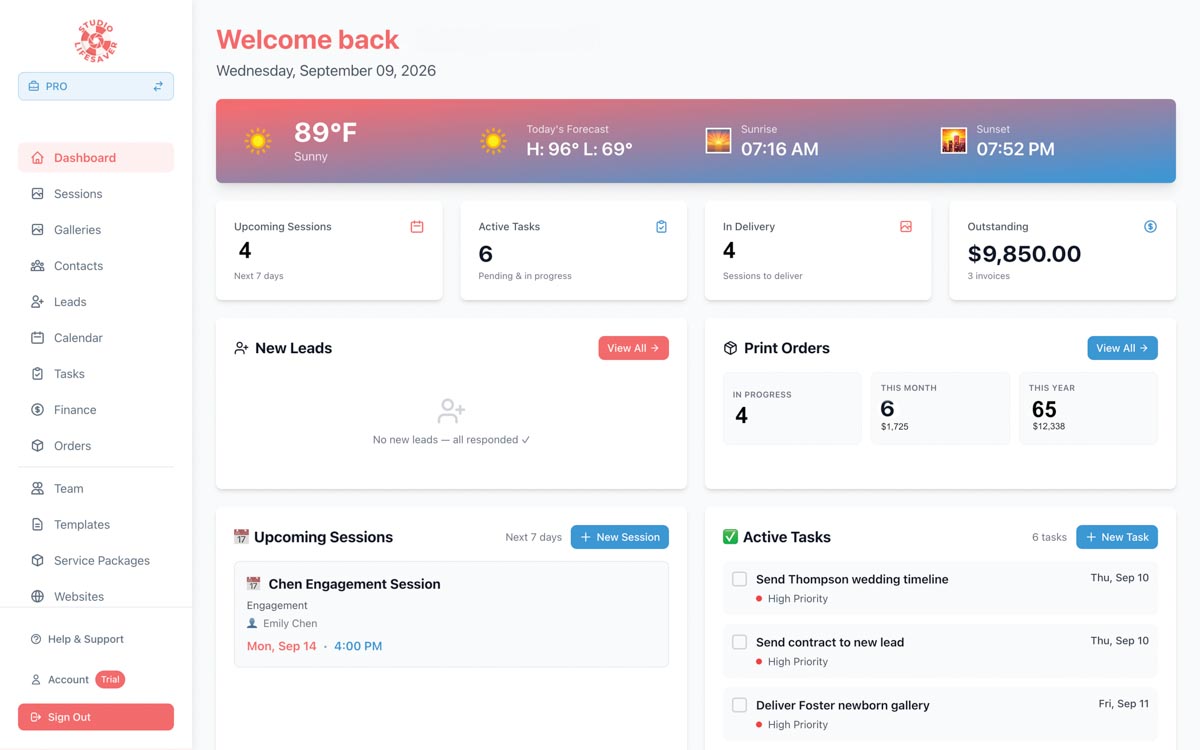
Studio Lifesaver
RELIEVE YOUR PAIN POINTS …
The ideas for each of Howard’s apps began as pain points in her photography workflow. For example, Studio Lifesaver began as a social media scheduler. Howard wanted a tool that would organize and post images by session, but she realized a scheduler wouldn’t save much time if she still had to hunt for images, upload the photos, and find tags for clients, venues, and vendors.
THEN EXPAND
So, Howard moved the fix upstream to capture the pertinent information once, at the beginning of a client relationship, and let it flow through her interactions with the client automatically. She expanded the scope of the project to include collecting client and vendor tags at booking, automating captions in her brand voice using AI, cataloging this information in a robust CRM, and adding the ability to not only post social content, but also build websites and publish a blog. The eventual solution is a full studio management application, complete with invoicing, contracts, galleries, and, of course, social media integrations.
USE AI FOR PROOF OF CONCEPT
AI coding tools have changed what’s possible for people without technical backgrounds. “With AI coding, it does make it very accessible,” says Howard. “Anyone with an idea could start.”
Howard suggests using an AI coding tool to create a working proof of concept before spending money on development. But she’s also clear about AI’s limits. AI-generated code can work to a point, but you can’t blindly trust that its solutions are correct. Understanding the underlying structure is important, and that is where human expertise can be especially valuable.

GottaSecond
KNOW YOUR LIMITS
Howard needed the most outside expertise in third-party integrations to platforms like Facebook and Instagram, QuickBooks, and Zoom. Her process became a mix of AI-assisted coding she handled herself and specialized help for the more technically difficult pieces.
KEEP YOUR DESTINATION IN MIND
Howard stresses that it’s critical to have an end goal in mind, and to map out your project accordingly. Otherwise, you can end up with a series of what Howard calls “islands of functionality” that are difficult to assemble into a cohesive system. “Anytime you’re doing software development, structure matters,” she says. “When I start to develop something new, I will lay out the end goal of where we want it to be, with all the coordination, all the interfaces, and then we build.”
SPIN OFF NICE-TO-HAVE FEATURES
Howard recommends spinning off features that fall outside the core goal of the project into separate apps. That’s what she did when creating GottaSecond and StudioVisibility. Rather than attaching these to the more studio-management-focused functionality of Studio Lifesaver, she scoped these projects separately with a narrower plan, each limited to a single, clear function.
DEFINE RELEASE-WORTHY SCOPE
“Perfect” is an elusive goal in software development. There’s always another iteration, another feature, another integration. But if you want to release your app into the wild, you need to decide what is essential for the initial release. This was one of Howard’s biggest challenges. “It took about a year from the time that I started to when I was ready to go to beta, and a lot of that time was just trying to figure out where I wanted the app to be before it was released,” she says.
Eventually, Howard forced herself to draw a line, pushing about 35 features into a future development pipeline. After all, you can always add more functionality in version 2.0, she figured. “At some point you just have to say, this is the deadline,” she says. “What can I live with for release, and what is going to be a future development?
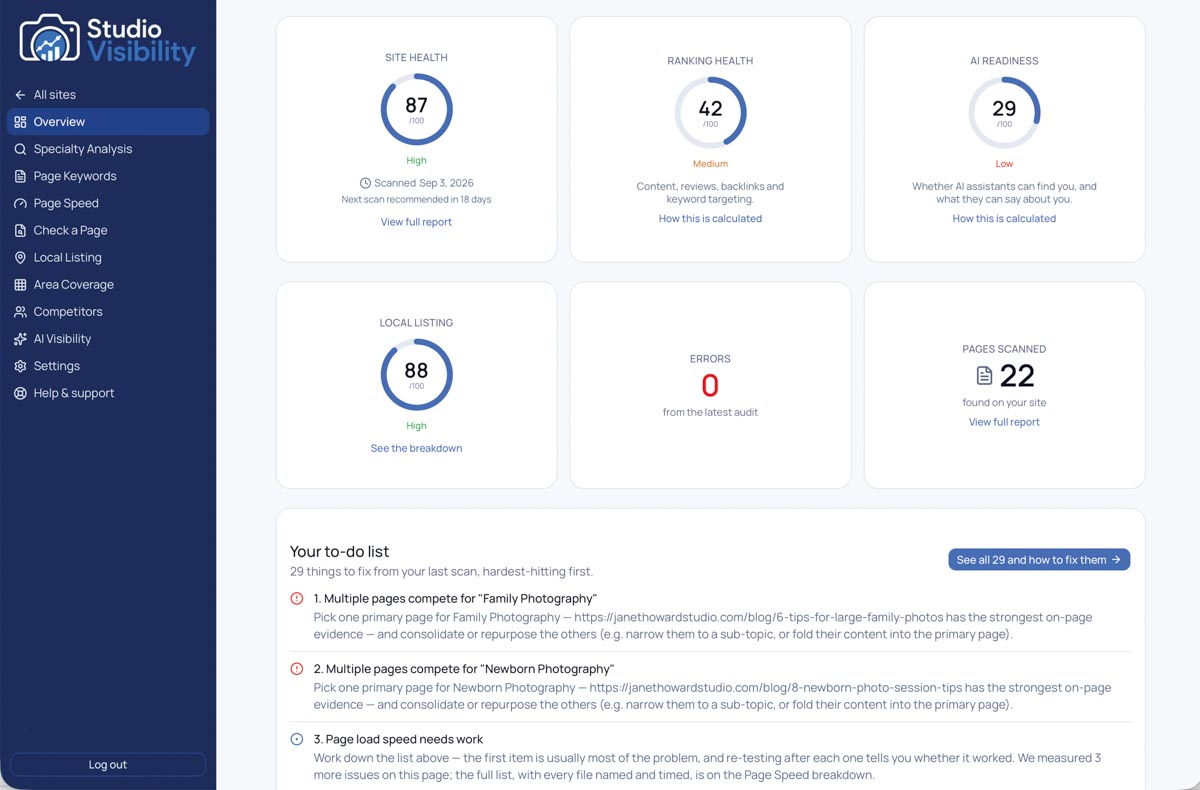
StudioVisibility
TEST IN THE REAL WORLD
Before going to market with Studio Lifesaver, Howard tested the app on real-world business functions. “I ran my business on it for about six months before I ever showed it to anyone,” she says. “I wanted to be absolutely sure that every part of this was manageable, and that I could see through the entire life cycle of a client from booking to delivery.” When she was satisfied that the app was stable enough to handle the full cycle, it was time for release.
GO TO MARKET
Every app will have its own go-to-market strategy, which depends on the functionality and the target user base. For example, Howard’s Studio Lifesaver app requires slow, deliberate growth built on early adopters who will provide feedback to help shape the product. Howard has tried not to scale it too quickly, instead leaning into a mix of online advertising and building awareness through professional photography channels.
GottaSecond, on the other hand, requires market density. The app only works for photographers in areas with a lot of other photographers. So, Howard’s marketing strategy involves building a base of second shooters in a particular area before promoting the service to studios. She is growing the app market by market, using paid social media and Google advertising targeted specifically at people looking for second-shooter work.
LISTEN TO YOUR USERS
“I once heard another female founder talk about how valuable it was to do her own customer service in the beginning, and I’ve taken that approach,” says Howard. While there are tools like ZenDesk to help with automating common questions for quick responses, Howard feels it’s also important to hear your customers’ needs and questions on a daily basis. “It helps drive the development path and creates a personal relationship with your founding users,” she says. “I recommend only delegating it when it becomes a challenge to keep up with it.”
FIGURE OUT THE WHY
Building an app is an investment. It could cost anywhere from a few hundred dollars for a simple app to tens of thousands for something more complex. It’s also an investment of time and focus. Therefore, it’s important to be honest with yourself about your intentions for the project.
Howard recommends thinking about why you’re embarking on this journey before you start playing with code. Is this purely a money-making project, or are you creating something to make your professional life easier? Then determine your scope, establish a realistic plan, and know when to take it to market. With these issues sorted out, you’re well positioned to build the next great photography application.
Jeff Kent is editor-at-large.