
Safe and Secure: Tether Tools AeroTrac
The well-designed versatility and stability of the Tether Tools AeroTrac Workstation
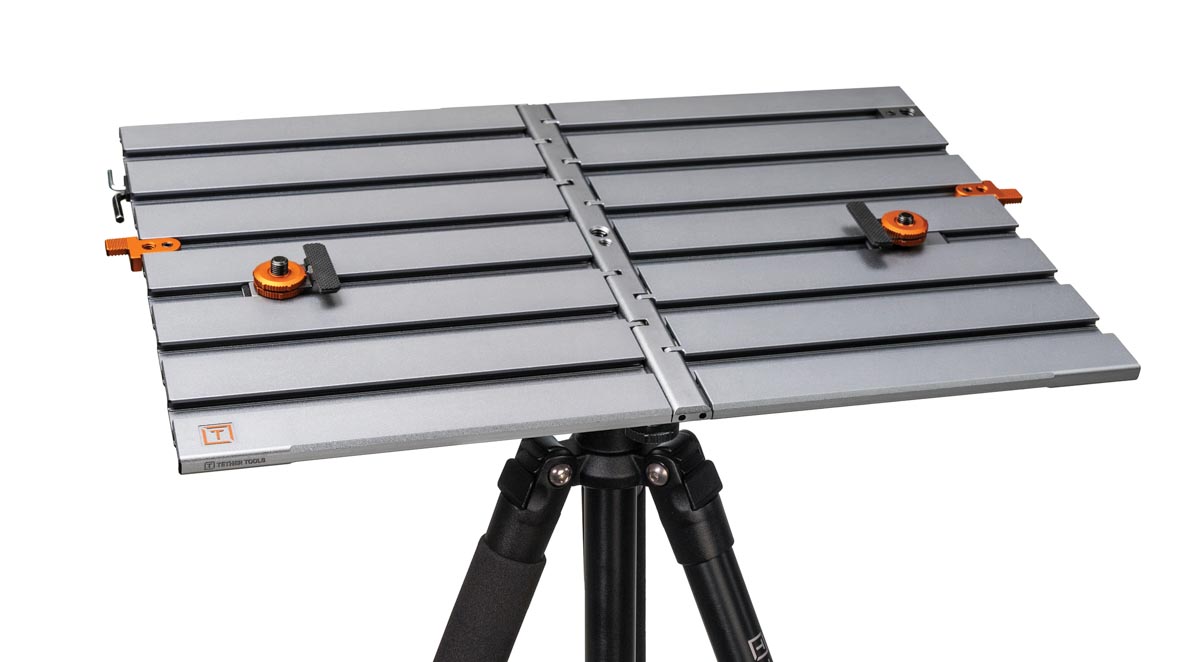
We take special care to protect our camera and lens on the job, but if you’re also working closely with a laptop during a photo session, it takes an extra degree of effort—especially if you’re working tethered. Tether Tools has a great reputation for offering top-notch safe cable solutions and other gear to keep your workspace functioning smoothly, and now they have released the AeroTrac Workstation System. I’ve used several portable workstations over the years, and the AeroTrac is Tether Tools’ best iteration yet.
The AeroTrac Workstation is self-explanatory right out of the box. I was able to figure out what each part was and how to install it (for the most part) before looking at the setup instructions. The AeroTrac has a versatile design, and most of the pieces can be installed wherever works best for your needs. I even had fun creating a “flat lay” setup with the parts installed every which way, just to illustrate this flexibility (below). The only parts that have specific places are the ballhead adapter, the handle, and the feet. Other than those minor restrictions, you can customize it practically any way you like.
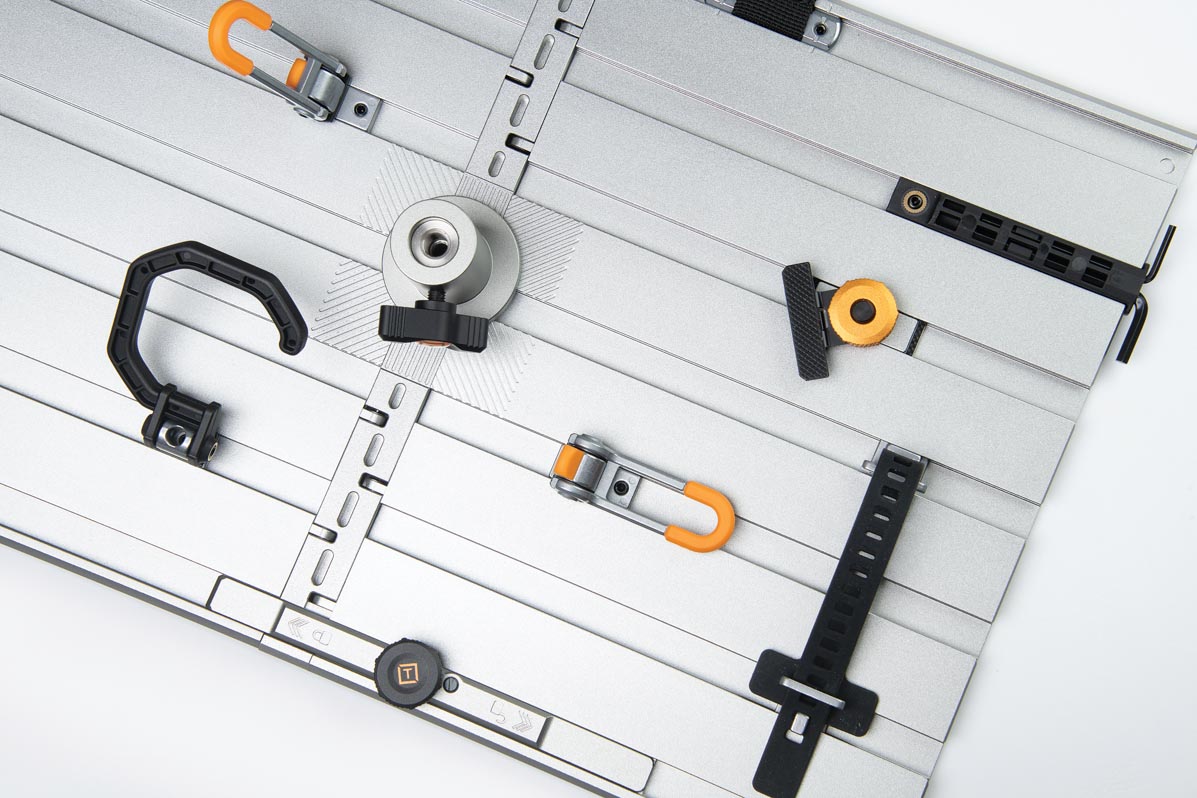
In the box, you’ll get the AeroTrac Workstation Plate, two tech clamps (for securing your laptop), a removable handle, a configuration tool that holds two Allen wrenches, two 1/4"-20 accessory threads, and two action tabs (magnetic closure). These are all important, but the optional accessories are what really makes the AeroTrac shine. Accessories that are sold separately or included in kits include workstation legs, a tripod roller, tech straps, a baby ballhead adapter, an accessory holder, hooks, 3/8"-16 and 1/4"-20 accessory threads, VersaMounts (for securing items such as the sunshade), a carrying case, and more.
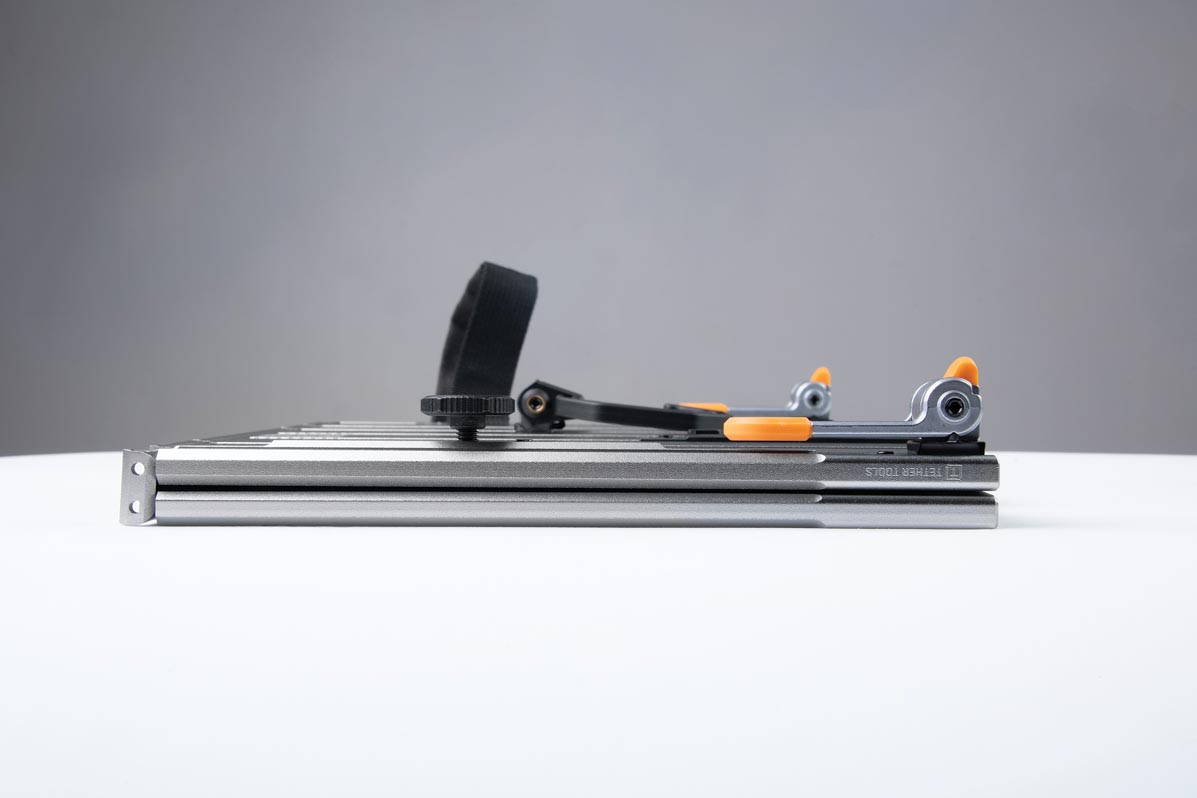
Out of the box, the AeroTrac comes folded. This is the perfect time to install the handle. But if you’re like me, you might opt to unfold the workstation and deploy the sliding lock first. Then you’ll discover that the handle can’t be installed unless the AeroTrac is folded. This is a design/safety feature; it’s impossible for the handle to slide off while you’re carrying expensive gear around.
After exploring all of the accessories we were loaned, I set the AeroTrac up as I would use it in the field. I secured my laptop to the top side of the workstation using the tech clamps. The clamps secure the keyboard/base of a laptop to the AeroTrac, and the screen can safely open and close. Tether Tools has always been dedicated to keeping your gear secure, and these clamps reinforced my confidence in that. Even though two clamps may not seem like enough, the laptop is well-secured. The tech clamps can only fit laptop bases (or other items) between 3.6mm and 16mm thick.
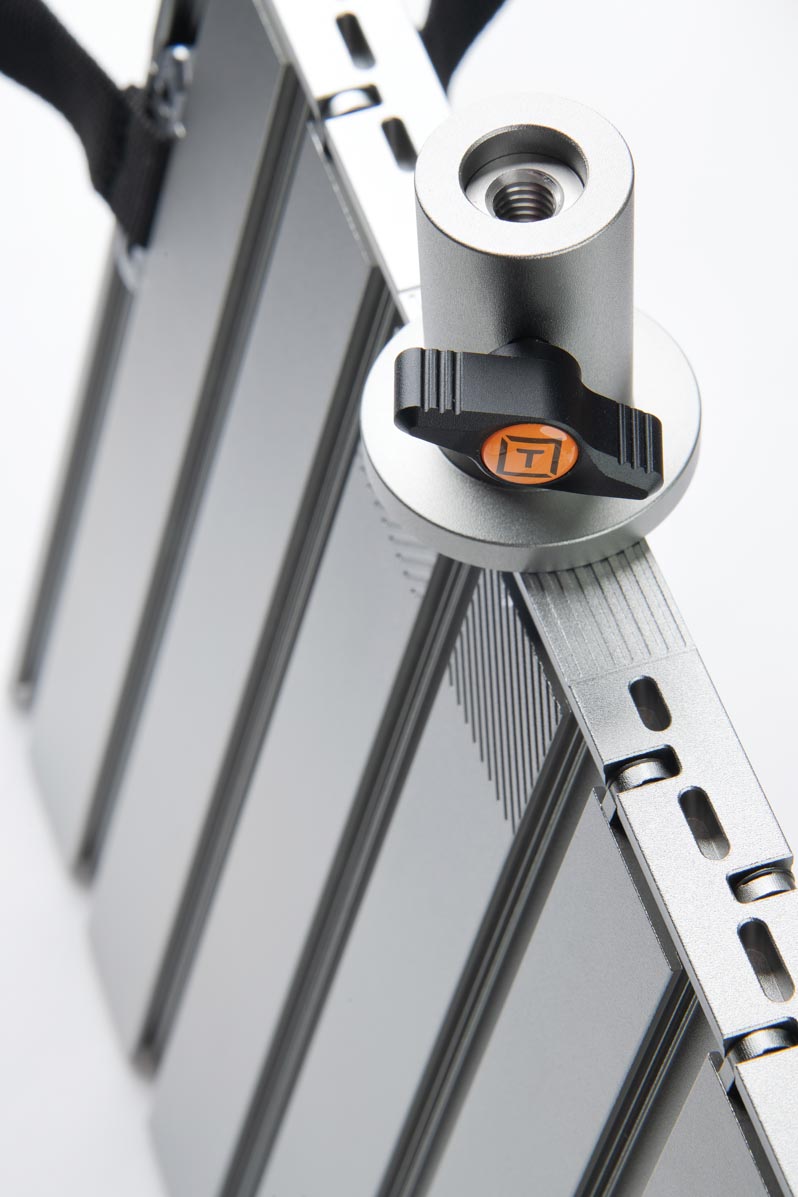
I customized the bottom of the workstation by installing the configuration tool, the workstation legs, tech straps (for an external hard drive), the accessory holder, a hook, and the ballhead adapter. The ballhead adapter attaches to your tripod or a lightstand to bring your device to a comfortable working height.
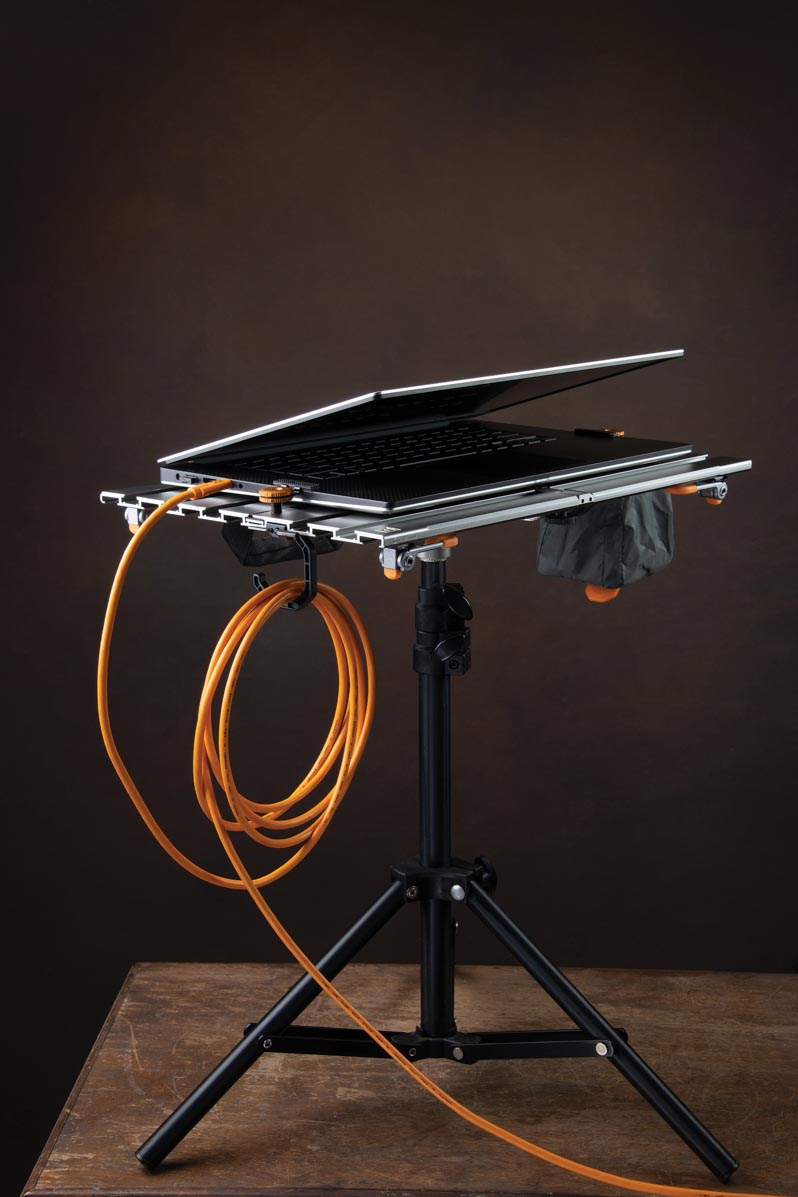
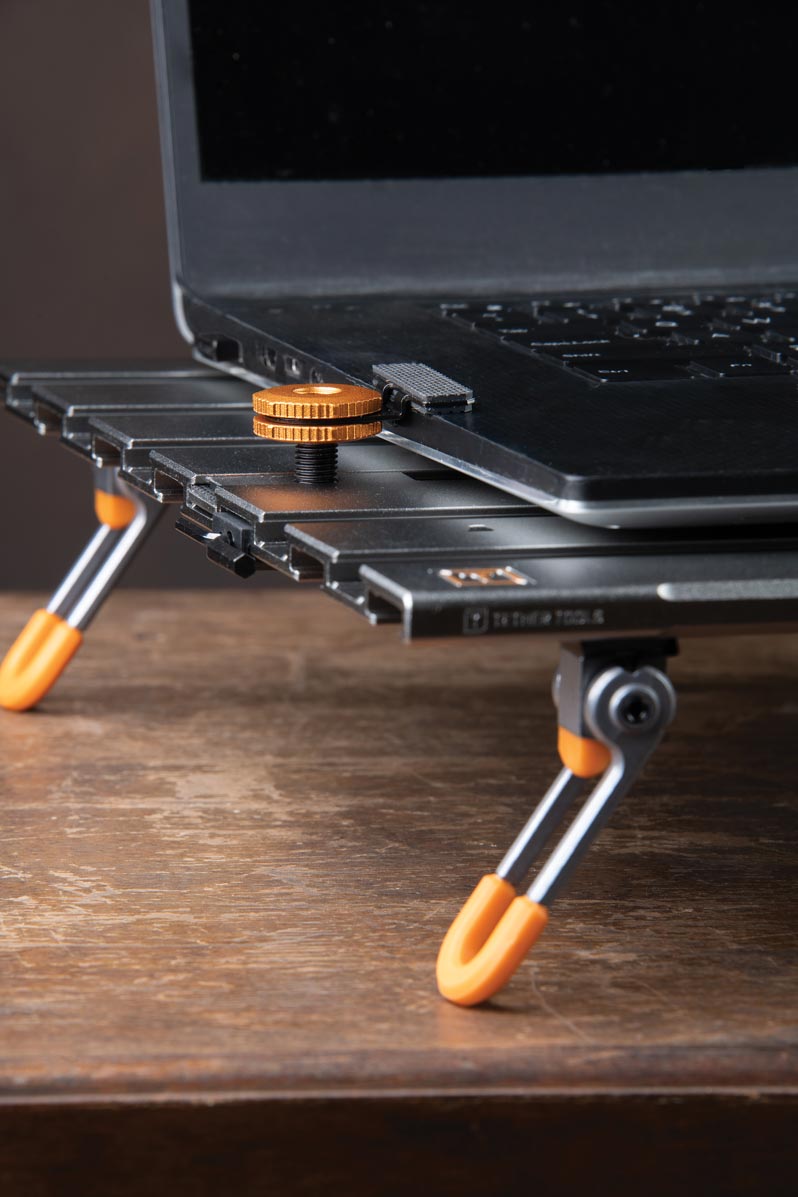
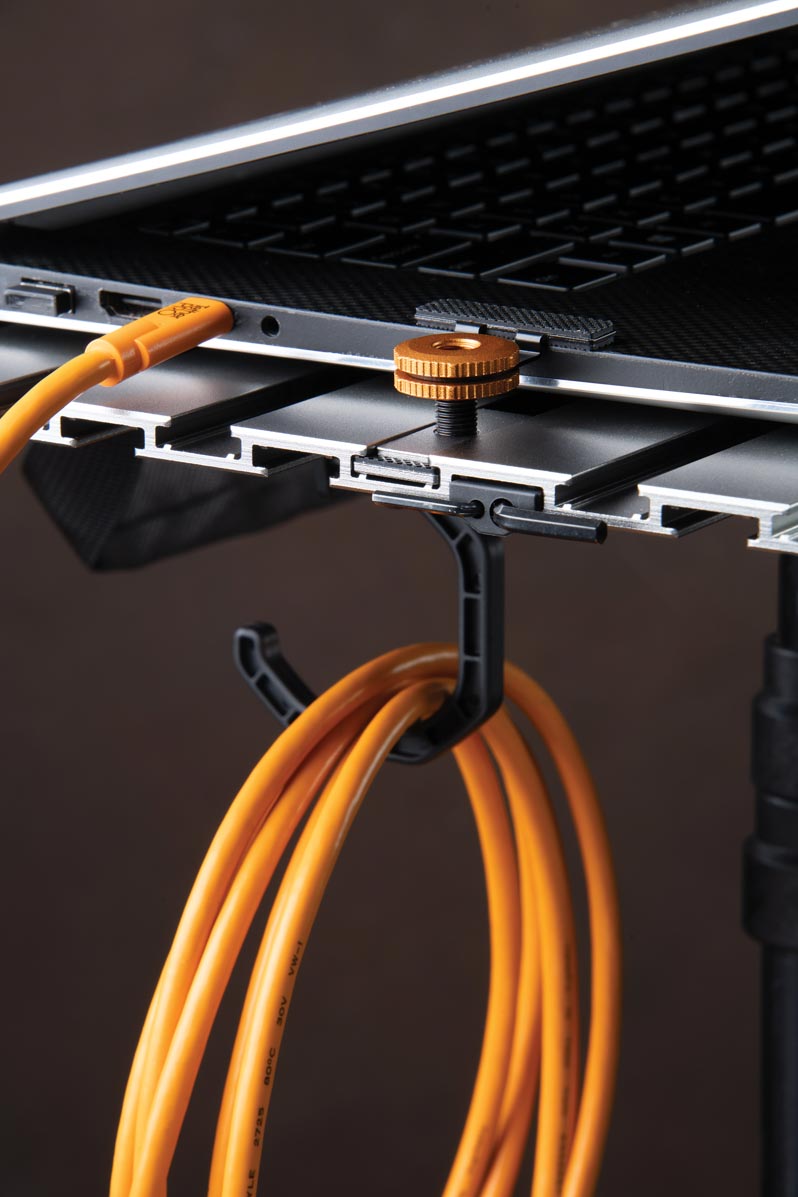
Now for the brilliant design detail: Tether Tools designed the AeroTrac so that you can fold the workstation in half with the ballhead adapter still attached. But wait, there’s more. If you want to leave that adapter in place and carry your workstation to a table or flat surface, the workstation feet are perfectly tall enough to make this possible. Even if you don’t plan to set the workspace anywhere but mounted, the legs are nice to keep your laptop and workstation secure while setting up your tripod. I appreciated this thoughtful design feature by Tether Tools.
The accessory holder is one of the few add-ons that doesn’t tighten down with an Allen wrench. It’s meant to be able to slide underneath when not in use, and there’s a clever magnetic tab to keep it collapsed and out of the way. I tested it out with a water bottle, and it holds weight just fine. It would be a good spot to hold your phone, a mini gray card, or a light meter.
If you’re photographing tethered, you’ll want a hook to manage extra cord length, and it’s likely you’ll also want to back things up to an external hard drive, which you can attach to the underside of the plate with tech straps.
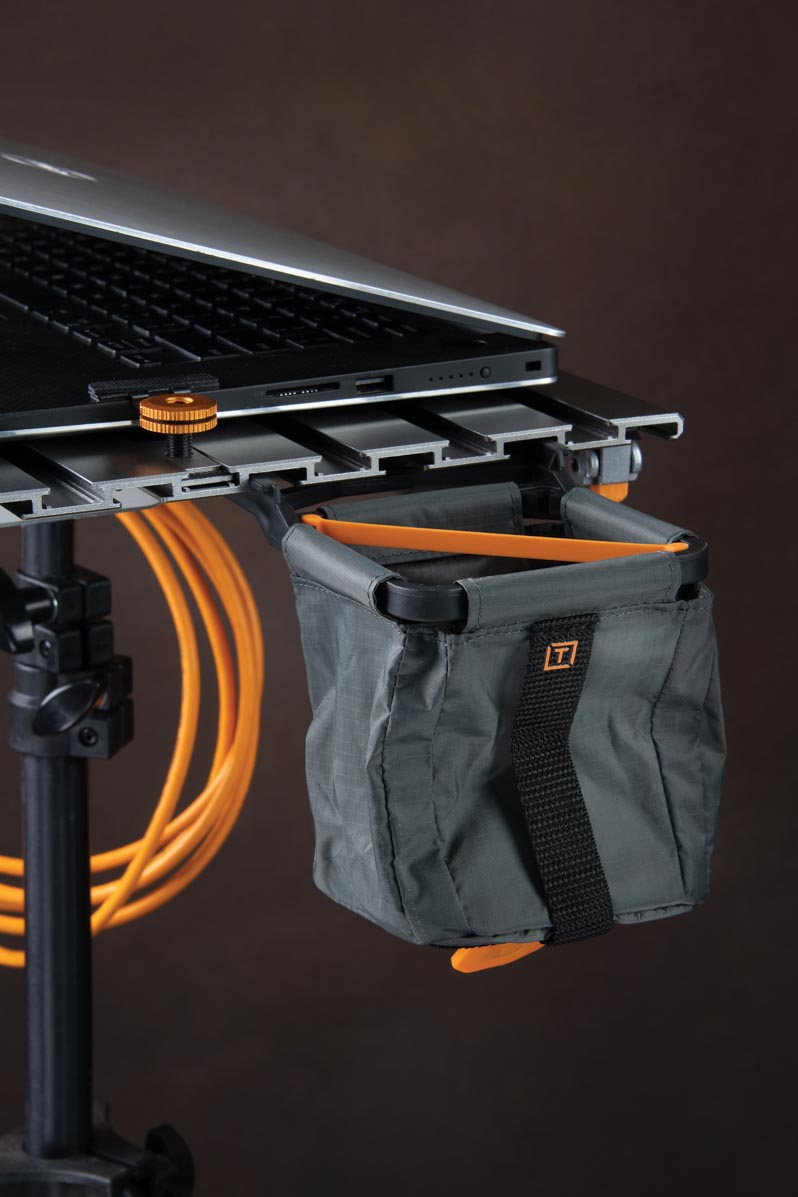
I appreciated having the option to use magnetic tabs to keep my workstation from “flopping open” when folded, and the AeroTrac storage case is wonderful. Too often, something like this ends up getting shoved into a bag or bin as an afterthought, without padding or protection. It’s nice to have something the right size to keep the AeroTrac and all its accessories together.
For those who have 3D printing capability, Tether Tools offers STL files for download and a maker kit—perfect for designing your own unique accessory mount components. With this option and the impressive lineup of compatible accessories, you can configure the AreoTrac to your needs.
Overall, the AeroTrac workstation is heavy-duty and sturdy, especially compared to older Tether Tools workstation tables. It weighs 3.3 pounds, is made of anodized aluminum, and can hold up to 30 pounds (14 kilograms). When used on a flat surface with accessory legs, AeroTrac provides a great workspace on the go and keeps your computer off the ground. If you have a chunky workhorse of a laptop, check its measurements carefully to make sure the tech clamps will work before purchasing.
Is the AeroTrac Workstation for you? It depends on your workflow. If you’re working in the field while tethered, you’ll benefit from this thoughtful and flexible workspace that keeps your important gear safe. The AeroTrac Workstation retails for $299.99, and accessories range from $9 to $99.
Betsy Finn is a portrait artist in Dexter, Michigan.
Tags: gear studio technology