
Sponsored Content
Flash Memory Safety Tips for Professional Photographers
Have you ever lost photos from an important event? Whether or not you have already experienced this, the very thought likely throws you into a full panic attack.
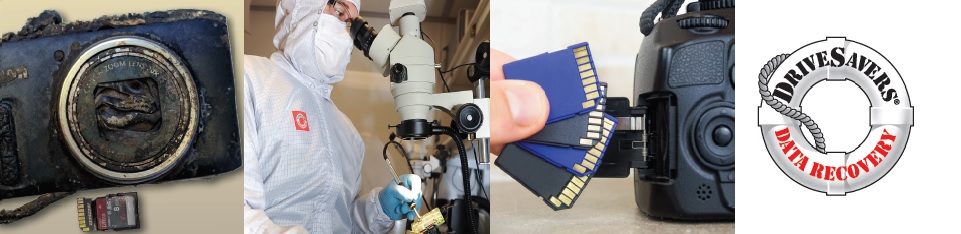
Have you ever lost photos from an important event? Whether or not you have already experienced this, the very thought likely throws you into a full panic attack. After all, you can’t re-shoot a wedding, sweet 16 party, bat mitzvah or concert fundraiser! And in today’s world of online reviews, one angry customer could mean the end of your career as a professional photographer.
Digital photography offers a fast and convenient way for photographers to accomplish their work. However, with convenience comes the extra task of managing camera cards and unlimited numbers of digital images. Add to the list, the very real possibility of a hard drive crash or physically damaged camera card and data recovery becomes a priority.
These tips will help you handle flash memory cards properly, prevent potential data loss, keep your clients happy and maintain your excellent reputation as a professional photographer.
BACK IT UP!
The first rule of thumb for protecting your digital photos (or any important data) is to back up! That may seem obvious but DriveSavers sees hundreds of drives, flash memory cards and other storage media every month that have logical and mechanical failures or physical damage.
Back up recently shot photos immediately! This will guard against data loss when your storage device crashes unexpectedly. Back up your data using an external hard drive, online backup service or—better yet—both.
It’s best to follow the 3, 2, 1 Backup Strategy
Keep at least three complete copies of your critical data—one working copy and two backups on separate devices. Store at least one copy of the data at an offsite location such as a different office or home, a bank safety deposit box or a secure cloud service.
Read Best Backup Solutions to help you identify what devices and protocols may be best for your needs as a professional photographer and learn more about the 3, 2, 1 Backup Strategy.
CHECK COPIES BEFORE DELETING ORIGINALS
Always transfer photos from your camera’s memory card to your computer’s hard drive as soon as you can, especially in situations where photos cannot be re-shot such as a wedding.
Note that some image management programs installed on your computer allow you to delete photos from the memory card as soon as the transfer is complete. We do not recommend deleting images or reformatting memory cards until you have opened and tested all newly transferred files on your computer’s hard drive.
CARRY A SPARE
When traveling for destination shoots, always carry a spare external hard drive or other media to use for backup. Most importantly, when you return home from your trip, don’t forget to back up your backup. You can’t back up too often!
HANDLE CAMERA CARDS WITH CARE
Never carry unprotected flash memory cards in your pocket! Simple static buildup in your clothing can zap the card and make it unreadable. There are other dangers as well, such as breaking a card in your pants pocket as you sit down, or putting the card along with your clothing through the wash.
GO WITH A CARD YOU KNOW
Stay away from off-brand/no-name “affordable” memory cards. These generally offer low read/write speeds and therefore poor performance. Worse, some of these off-brand or no-name cards advertise higher capacities than the cards actually hold. Once you hit the true capacity limit (which will be less than you think it is), your device may crash and your image files become logically corrupt.
No-name cards also have a high probability of containing remanufactured and mismatched components. We call these types of cards “Frankensteins.” If something does go wrong with your images and you need to employ a data recovery service, no-name cards make for incredibly difficult and, in some cases, impossible data recoveries.
It’s a good idea to stick with brand names you know and trust such as Fuji, Kingston, Lexar, SanDisk and others. Take a look at the manufacturers who authorize DriveSavers to recover data from their devices. These are all good, upstanding manufacturers with quality products. We would recommend camera cards manufactured by anyone on this list.
TO SUM UP
- Make frequent backups
- Check copies and backups before deleting originals
- Carry a spare backup device
- Handle camera cards carefully and mindfully
- Stick with brand-name camera cards
We hope these tips help ensure your photography business is successful and profitable for you. Sometimes, however, there is simply no way to prevent data loss. If you have deleted images or videos, get an error message or are unable to view the images from your camera card, call DriveSavers at 800.440.1904.
DriveSavers—the worldwide leader in flash memory data recovery services—was the first company to successfully recover lost images from digital cameras and the first data recovery company referred by Canon, Kodak, Nikon, Olympus and Sony. Today, all major SD, flash and other digital camera memory card manufacturers refer their customers to DriveSavers.
Click here for PPA Exclusive Discounts and Receive a Holiday Gift from DriveSavers