
Sponsored Content
Flash Memory Safety Tips for Digital Photographers
Digital photography offers a fast and convenient way for photographers to accomplish their work. However, with convenience comes the extra task of managing camera
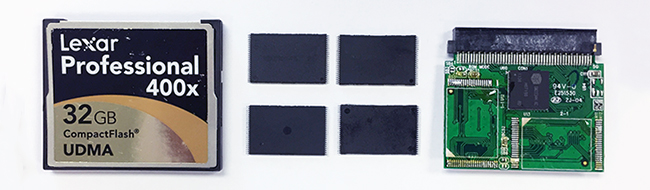
Digital photography offers a fast and convenient way for photographers to accomplish their work. However, with convenience comes the extra task of managing camera cards and unlimited numbers of digital images. Add to the list the very real possibility of a hard drive crash or physically damaged camera card and data recovery becomes a priority.
These tips will help you to prevent potential data loss and handle flash memory cards properly.
Back It Up!
The first rule of thumb for protecting your digital photos (or any important data) is to back it up! That may seem obvious, but we see hundreds of drives, flash memory cards and other storage media every month that have logical and mechanical failures or physical damage.
Back up recently shot photos immediately! This will guard against data loss when your hard drive crashes unexpectedly. Back up your data using an external hard drive, online backup service or, better yet, both.
It's best to make more than one copy of your backup media and keep a duplicate offsite in a secure location, perhaps in a fire safe, bank safety deposit box or secure cloud service.
Check Copies Before Deleting Originals
Always transfer photos from your camera’s memory card to your computer's hard drive as soon as you can. Note that some image management programs installed on your computer allow you to delete photos from the memory card as soon as transfer is complete. We do not recommend deleting images or reformatting memory cards until you have opened and tested all newly transferred files on your computer’s hard drive.
Carry a Spare
When traveling, always carry a spare external hard drive or other media to use for backup. Most importantly, when you return home from your trip, don’t forget to back up your laptop. You can’t back up too often!
Handle Camera Cards with Care
Never carry unprotected flash memory cards in your pocket! Simple static buildup in your clothing can zap the card and make it unreadable. There are other dangers as well, such as breaking a card in your pants pocket as you sit down, or putting the card along with your clothing through the wash.
DriveSavers Camera Card Data Recovery
DriveSavers—the worldwide leader in flash memory data recovery services—was the first company to successfully recover lost images from digital cameras and the first data recovery company referred by Canon, Kodak, Nikon, Olympus and Sony. Today, all major SD, flash and other digital camera memory card manufacturers refer their customers to DriveSavers.
PPA Member Benefits
PPA has partnered with DriveSavers to help you recover lost data.
Indemnification Trust: If your data loss is related to a paid contract, the cost of your data recovery may be covered.
Discount: If the cost of your data loss is not covered by the PPA Indemnification Trust, your membership still provides:
20% discount
Free shipping
Free evaluations
No cost if your data is unrecoverable
Call PPA’s customer service center at 800.786.6277 and report a claim.
Call 800.440.1904 to get started with your DriveSavers data recovery.