
Collaborate with Your Clients
Picdrop lets you work with clients to select final images and request retouches.

Whether you’re working with commercial or consumer clients, it’s become almost a standard practice for photographers to offer online proofing and review of images. While many gallery sites focus on upselling products or prints, picdrop brings a simplified proofing option to the table: It allows for collaboration with your clients, with a focus on selecting final images and submitting retouching requests.
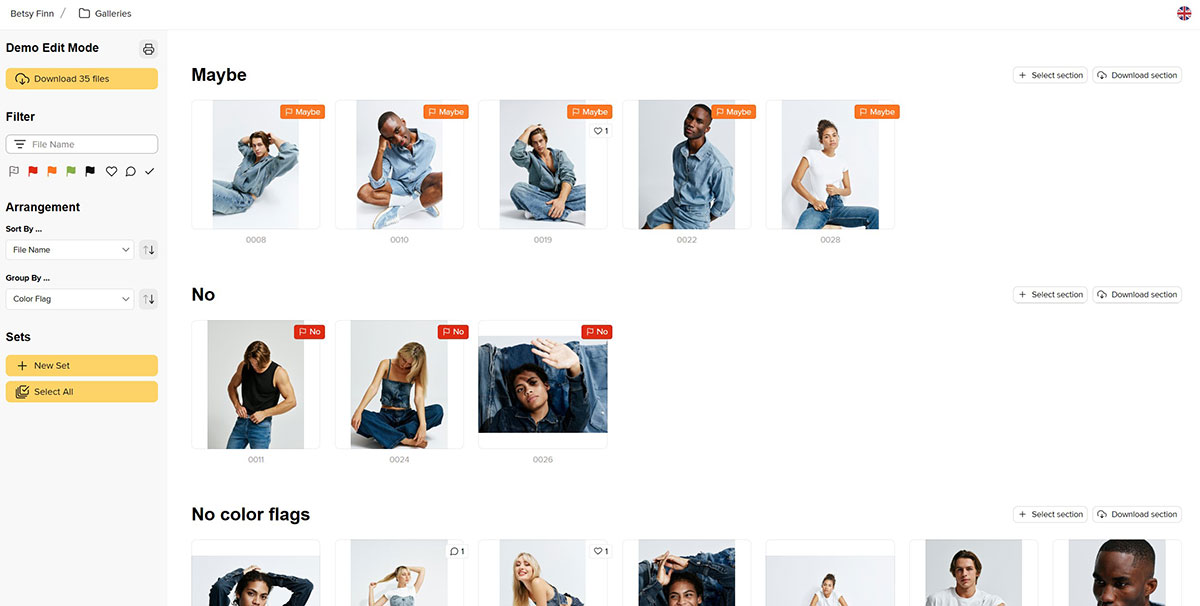
On the administrative side, picdrop keeps things simple, allowing you to add gallery headings, customize your image preview size/spacing, and even decide whether clients can switch between “presentation” (above) or “collaboration” mode.
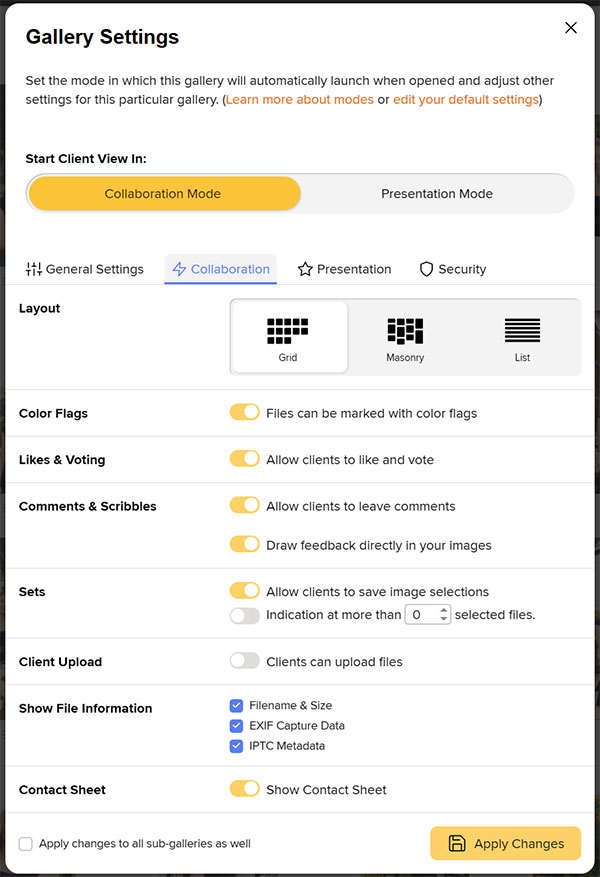
Gallery settings for collaboration mode
Presentation mode is a “view only” mode. Your clients will be able to view previews of all the images in the gallery or view them enlarged. Once you’ve finalized everything for the client, you can enable file downloading for the client from this view, too, useful for final image delivery with commercial clients or if you are selling digital files to a consumer.
In Collaboration mode, picdrop’s gallery settings allow you and your clients to mark files with colored flags, vote on or like images, and even leave comments or draw (“scribble”) feedback directly on an image. You and your client can filter the gallery based on any of these features, and most importantly, you’ll be able to collect feedback to make your final edits. Downloads are possible in this mode, too, and you can also allow clients to upload files or save selected images as sets. Collaboration mode allows your client to review and cull images on their own time while sharing their feedback with you in real time.
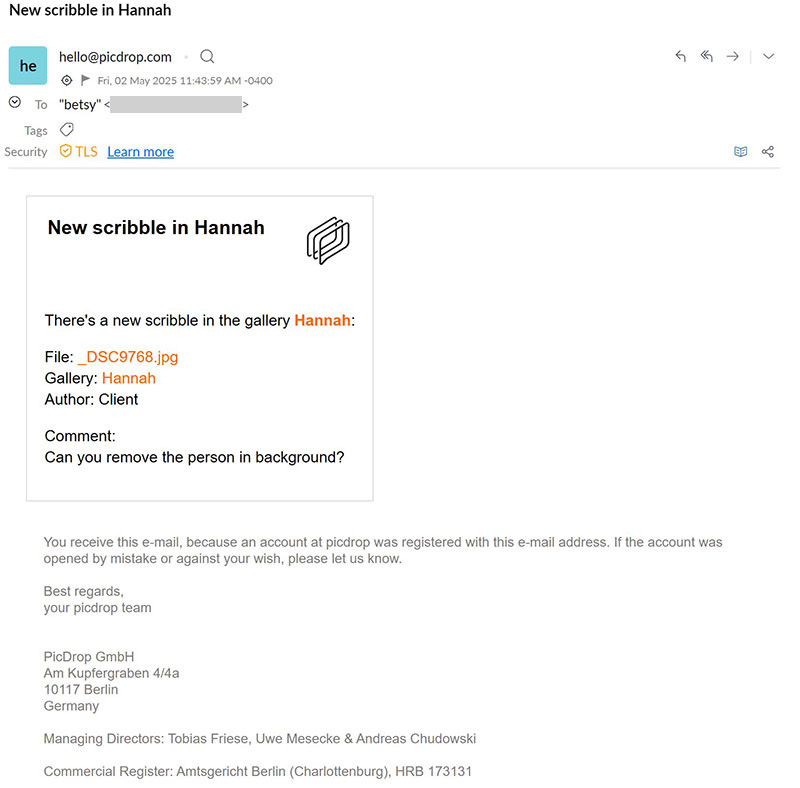
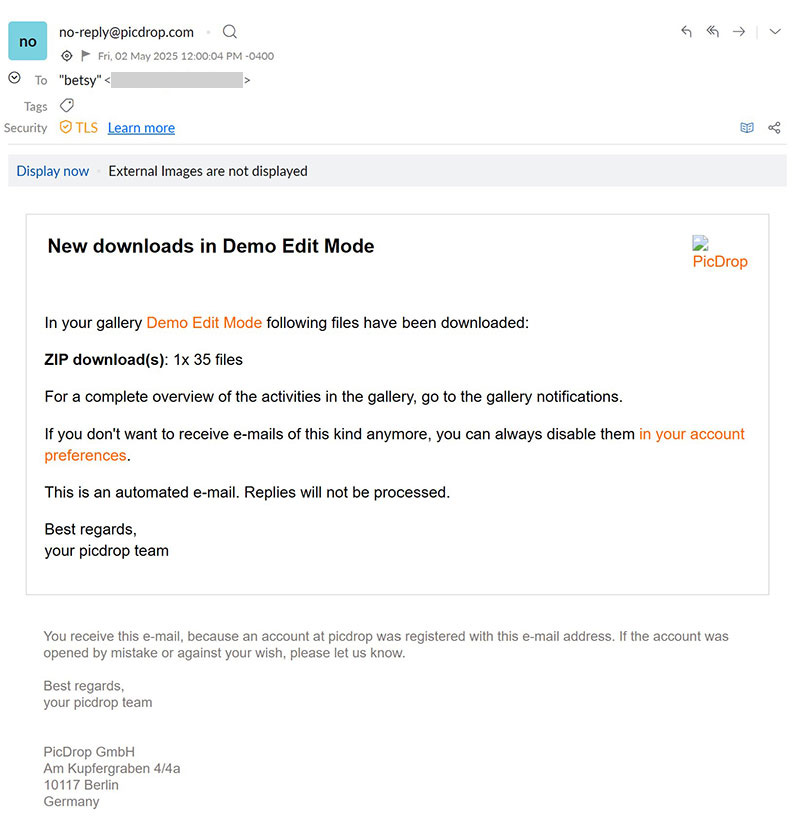
As the admin, you’ll receive an email when your client gives feedback in their gallery. For example, you might see an email titled “New Scribble in Hannah,” showing you the client’s marked up image as well as any typed comments regarding a request. Or, you might receive an email titled “New color flag in Hannah,” describing that five files were marked yes (including their filename IDs), one file was marked maybe, and another marked no. Alternately, you can also view “Latest Activity” from the admin dashboard. This view lets you filter activities from you, your team, and/or all others. You’ll be able to see that a guest or client visited your gallery, as well as any collaborative notes, comments, or flags, along with links to the specific image(s) and the album.
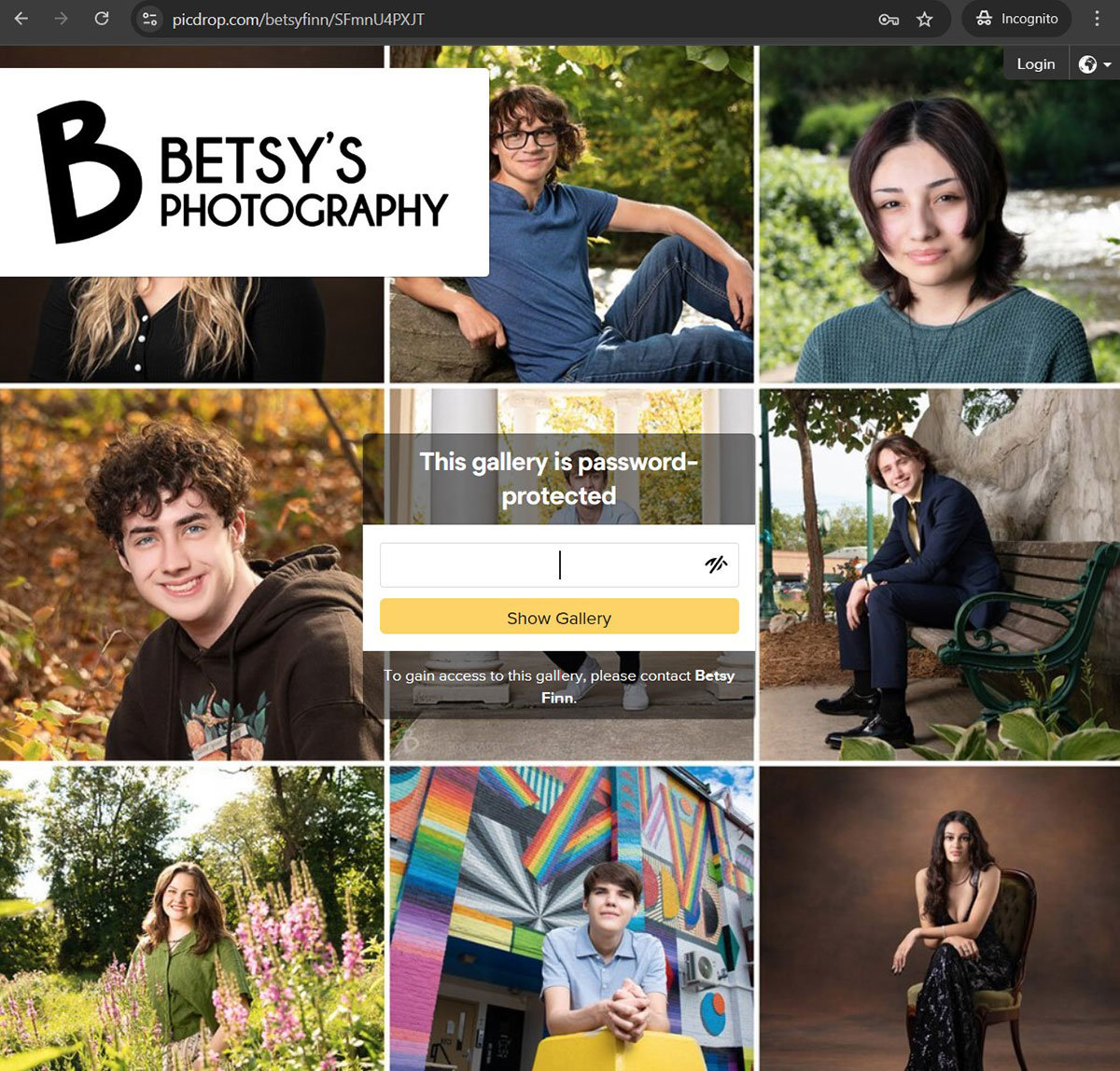
For security, you can enable password protection of the whole gallery. You can also create a PIN to limit access to Collaboration mode if, for example, your client includes multiple people who should only have access to the gallery in Presentation mode.
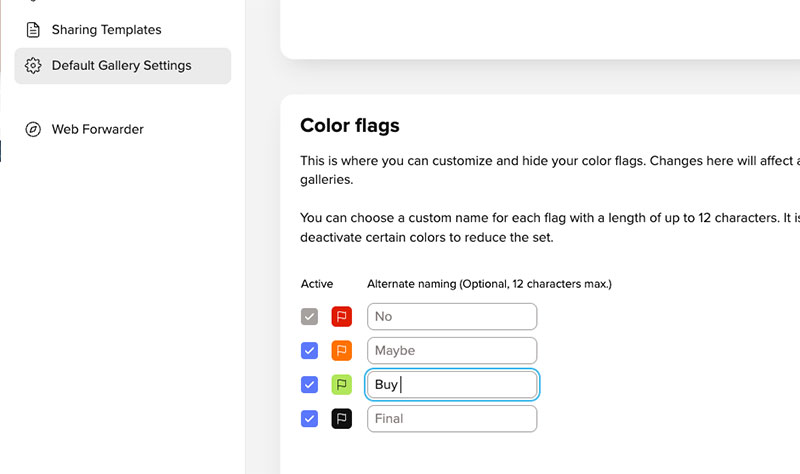
Picdrop doesn’t try to cover all the bases when it comes to proofing galleries. It is designed to be a collaborative proofing gallery, not a product-sales gallery. But, in talking with representatives of picdrop, I learned that you can create a custom workflow around client purchasing by customizing the colored flags in your account settings, such as labeling the green flag as “Buy” or “Order,” so that clients select the files they want using that flag. You would then follow up with your typical invoicing process outside of picdrop.
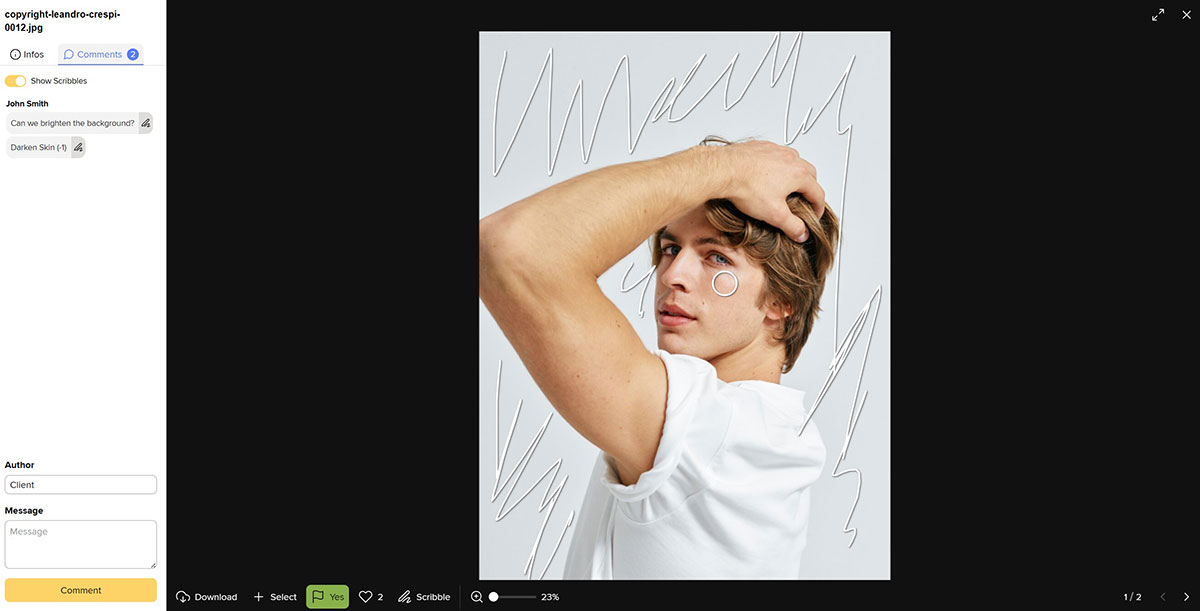
The feature I liked most in picdrop is the “scribble” option in Collaboration mode. I can see it being a lifesaver when trying to pin down specific retouching requests. If you’ve ever tried to get a client to verbally explain their retouching requests (and the ensuing emails/screenshots to clarify the request), you’ll know what I mean. Picdrop’s ability to draw directly on the image, as well as type comments on every image, streamlines this process.
To sum things up, if you’re looking for a gallery that focuses on image proofing, collaboration, and file delivery, rather than a storefront or full ordering system, picdrop will be the obvious choice. It’s streamlined and easy to use, regardless of whether you’re the photographer or a client.
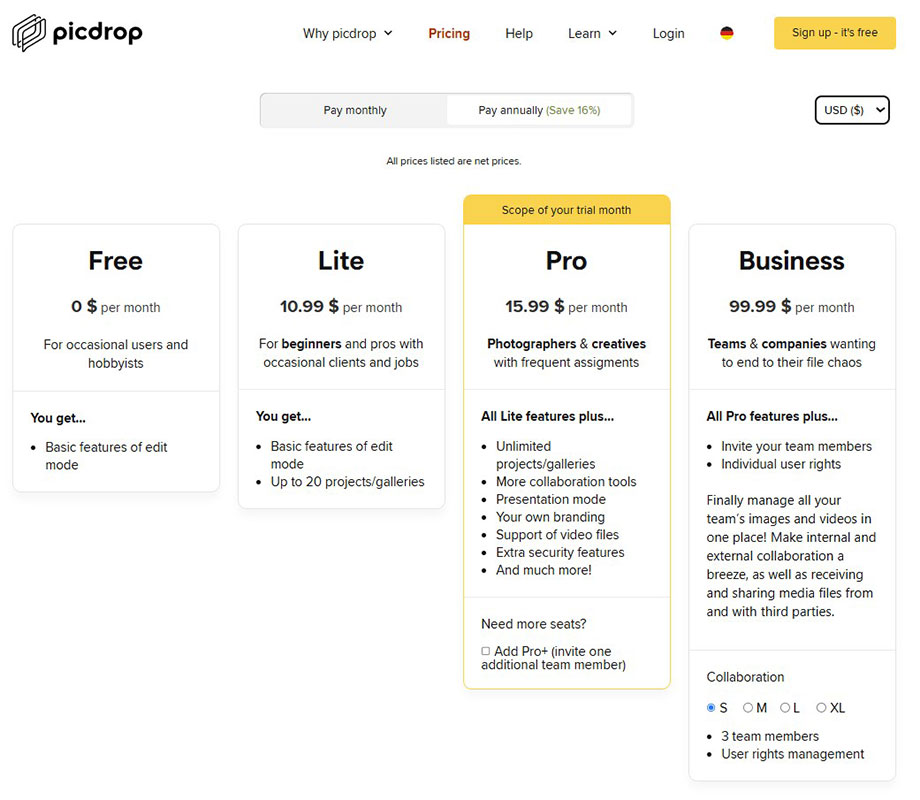
Picdrop offers a tiered subscription rate based on your needs, including a free plan, Lite plan (20 galleries, $10.99/mo), Pro plan (unlimited galleries, $15.99/mo), and a Business plan (multiple users, $99/mo). You can try a month free at picdrop.com.
Betsy Finn is a fine art portrait photographer based in Dexter, Michigan.
Tags: retouching