
Sponsored Content
3 AI Features Every Photographer Should Be Using
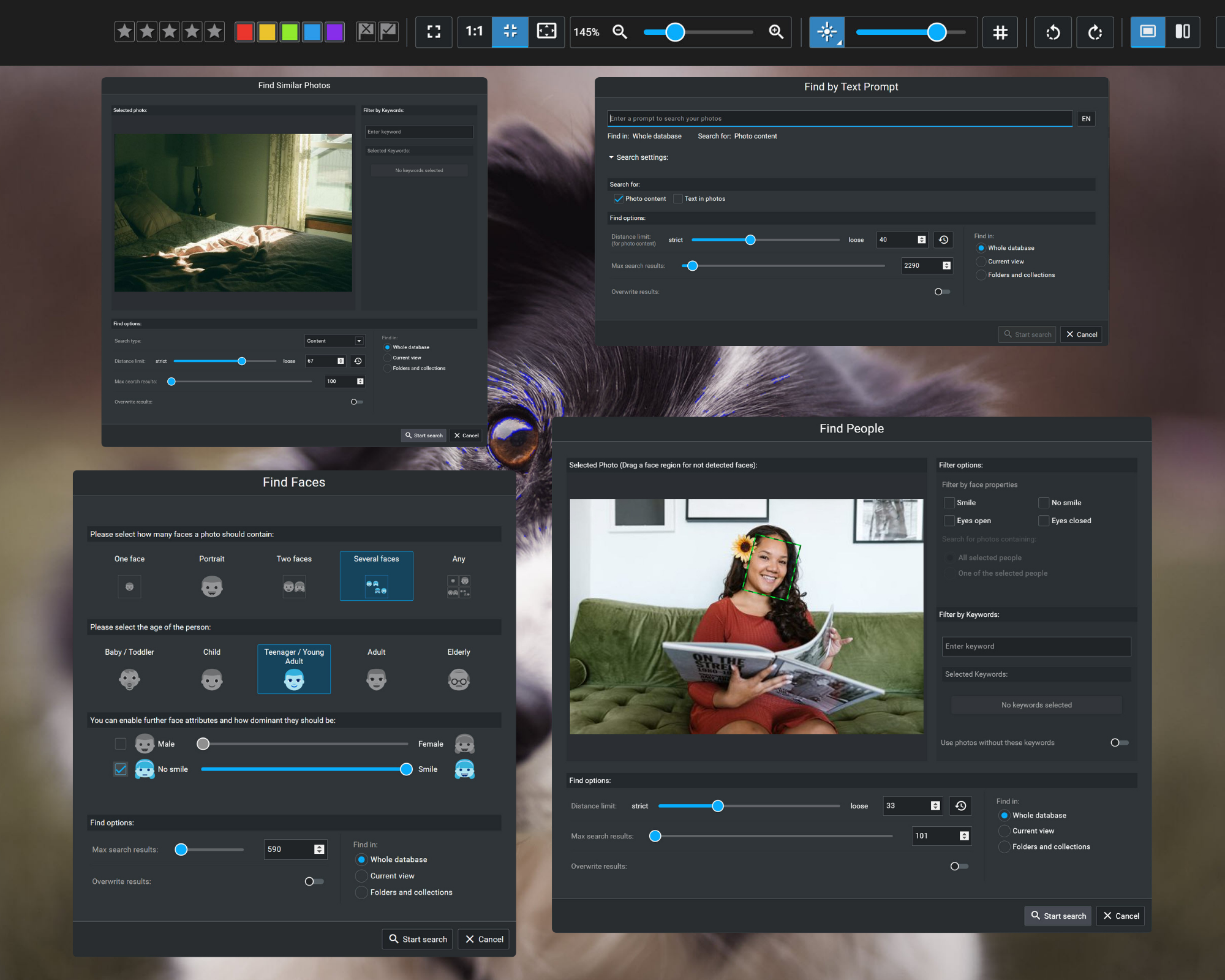
If you haven’t integrated these AI capabilities in your photography workflow, then you're missing out.
Artificial intelligence is dominating conversations in photography, and it is (understandably!) controversial. There are legitimate concerns surrounding AI image generation, which has led some photographers to reject AI tools outright.
But not all AI is the same.
While much of the debate has focused on image generation (and, to a lesser extent, image editing), AI has proven itself in another area: photo management.
Every photographer spends time searching for images, organizing files, and evaluating their shots. These tasks aren’t exciting, but they're unavoidable part of modern photography. Fortunately, AI can streamline nearly every part of the photo-management workflow—and, in some cases, bypass it completely.
Here, AI isn't going to replace photographers or raise concerns about image authenticity. Instead, it handles the repetitive, time-consuming tasks so you don't have to, giving you more time to appreciate your photo library, be creative, and get back behind the camera.
In this article, I’m going to share the three AI features that I use practically every day in my photographic workflow. Personally, I rely on Excire Foto 2027 for this; it's a full-fledged AI-powered photo manager, and throughout this article, I’ll use Excire to provide plenty of examples so you can better understand what AI can do.
By the time you're done reading, you'll have a few simple ways to make your life a whole lot easier!
1. AI-Powered Image Search
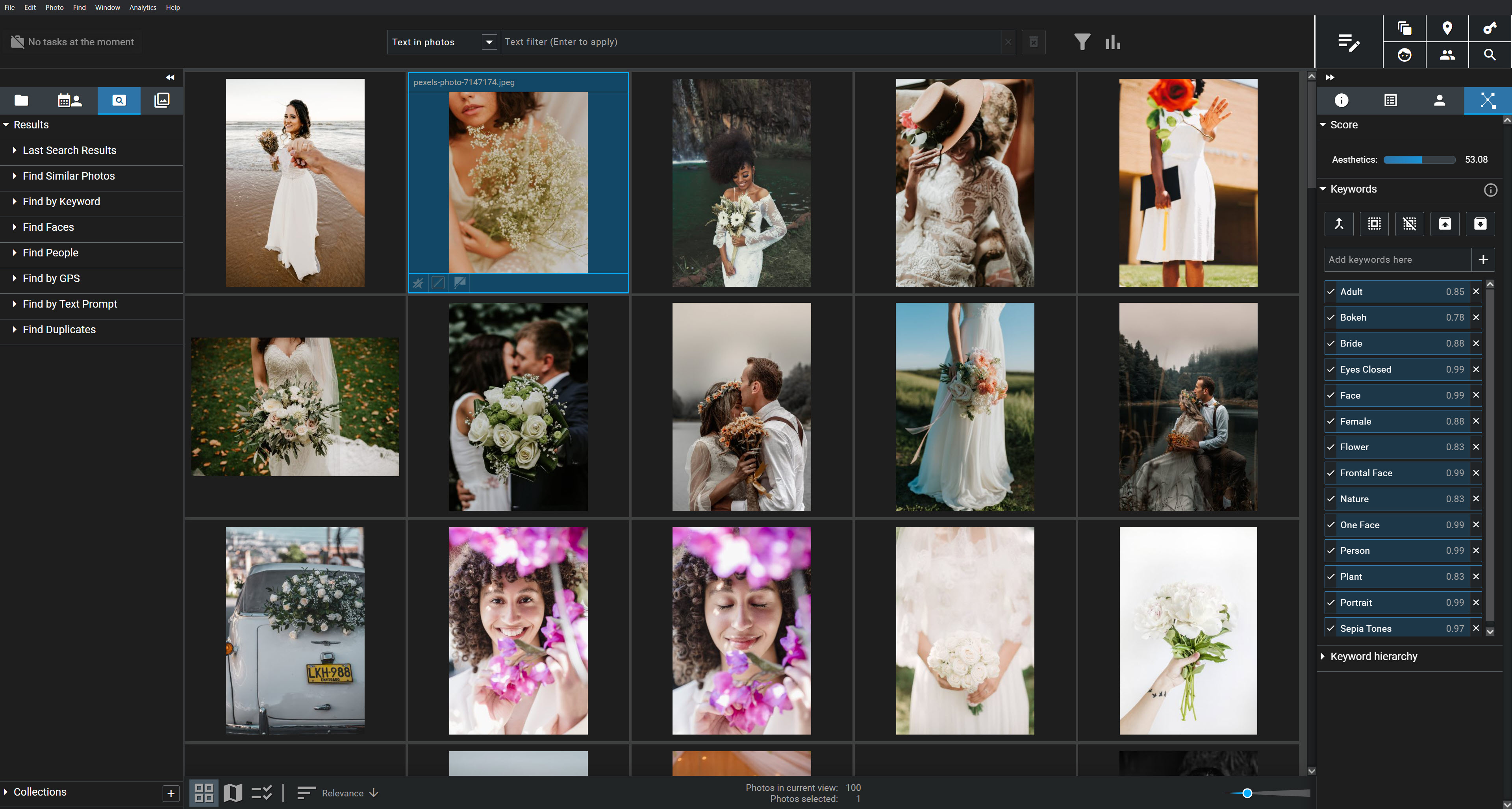
Image libraries continue to grow.
My own catalog contains well over a million images, and I know I'm not alone. But you don't need a collection that large to run into problems; even (relatively) modest catalogs of 10,000 to 50,000 files can be difficult to navigate, especially if you don't stay on top of keywording.
Before I started relying on AI, I spent far too much time scrolling through my photo-management software searching for specific images, or for photos that matched a particular theme or color palette. I wasn't great at keywording my files, and even when I managed to stay on top of my keywording workflow, finding the right shots at the right time was still a challenge.
But AI changed all that.
Here’s why: Instead of remembering where you saved an image, AI lets you search based on what the image contains.
In Excire Foto 2027, for instance, you can type in a description of the image you're looking for—something like “dog at the beach"—and the AI will retrieve matching photos from deep within your library.
Here’s what I got when I ran my “dog at the beach” search:
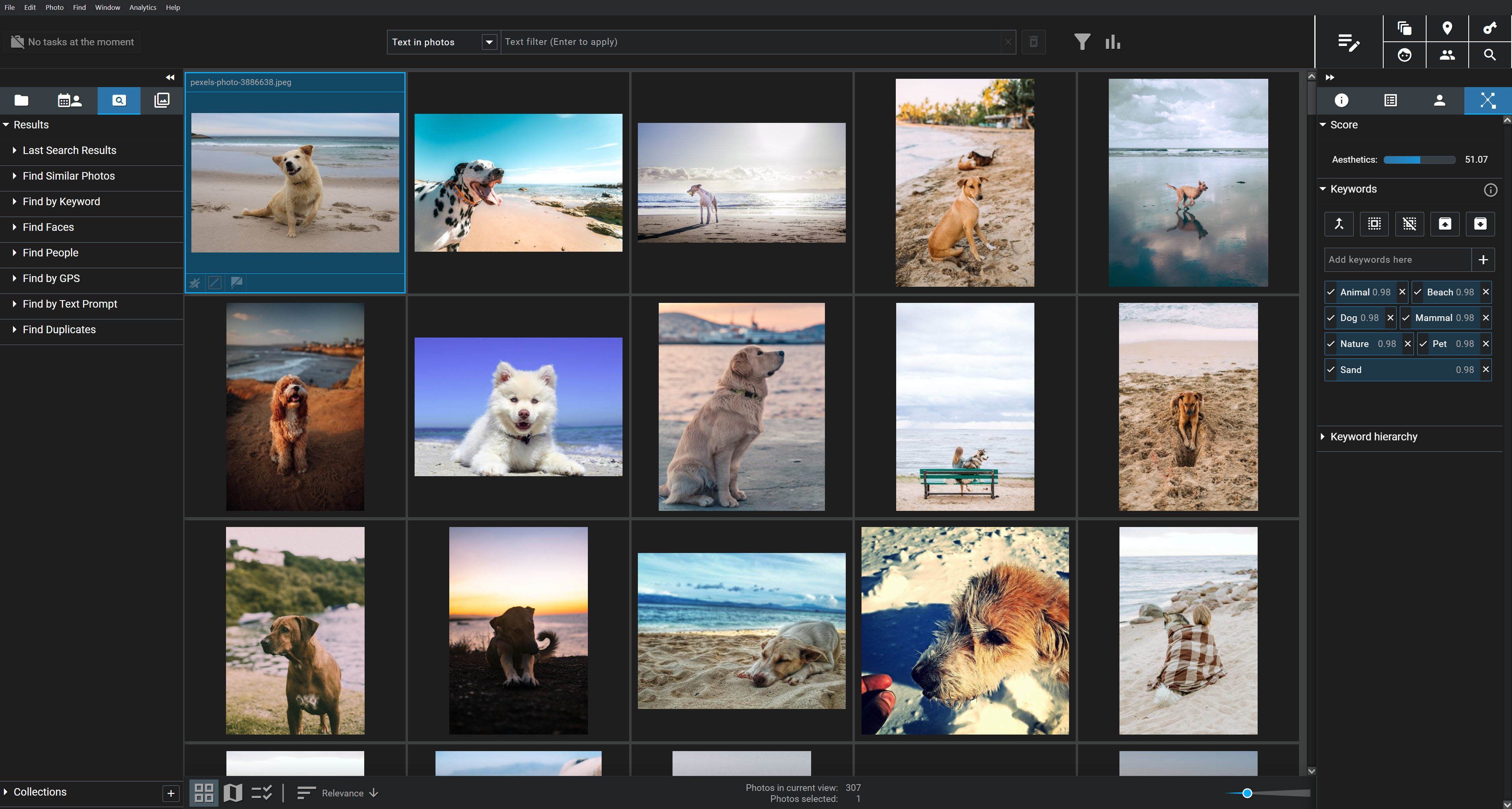
(This feature, called Find by Text Prompt, is so good that you have to try it to believe it!)
You can also search for visible text within your images using intelligent text recognition. Search for "Paris," for example, and Excire can instantly retrieve photos featuring the word “Paris” on street signs, storefronts, T-shirts, buildings, and more. It's surprisingly useful, especially when you're looking for travel photos or images tied to a specific location or event.

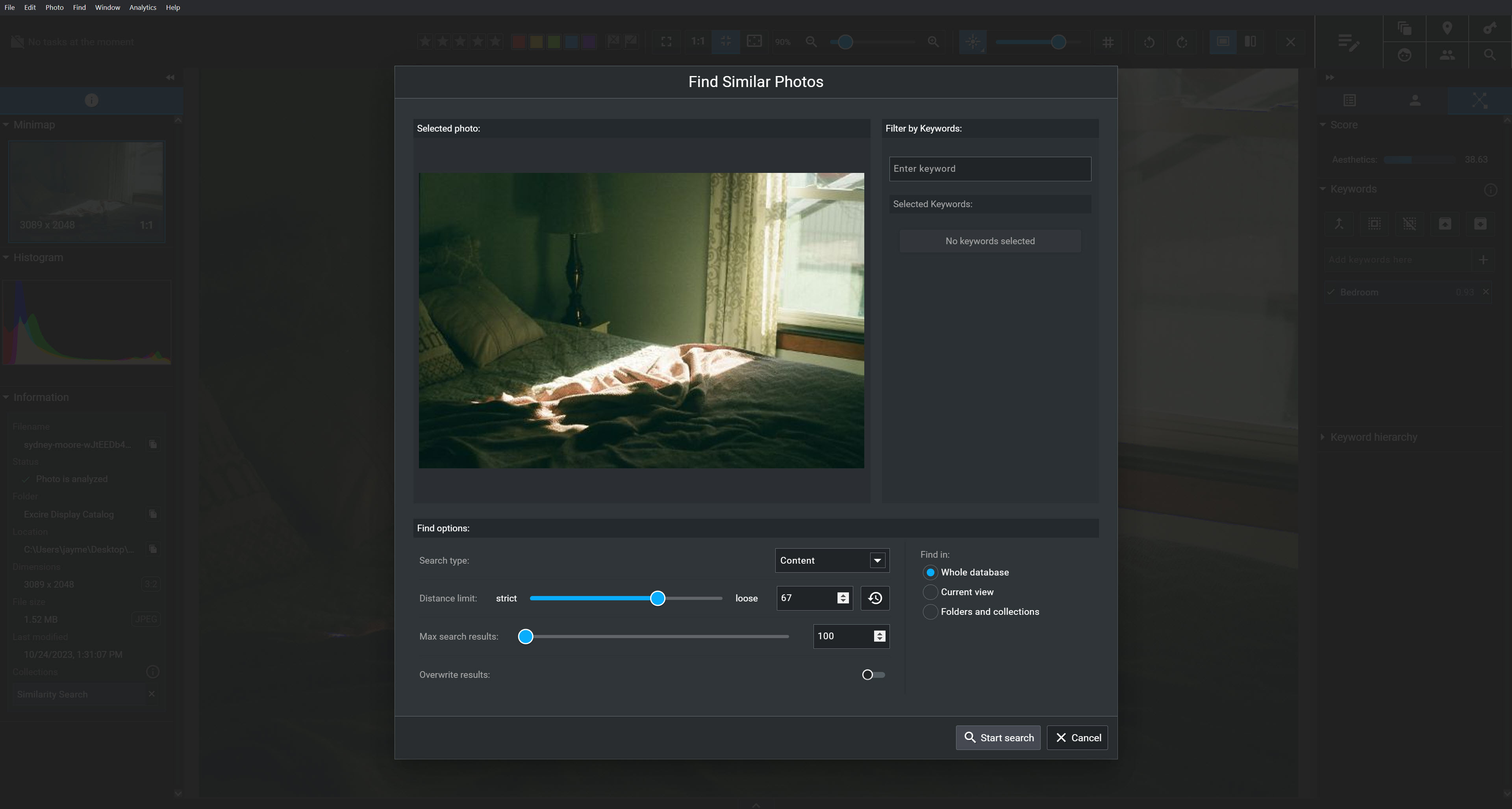
And AI-powered image search isn't limited to text prompts. In Excire, you can use a reference image to find visually similar photos throughout your catalog. Show the program a silhouette of a happy couple, for instance, and it'll retrieve other silhouetted couple images with a similar look and feel.
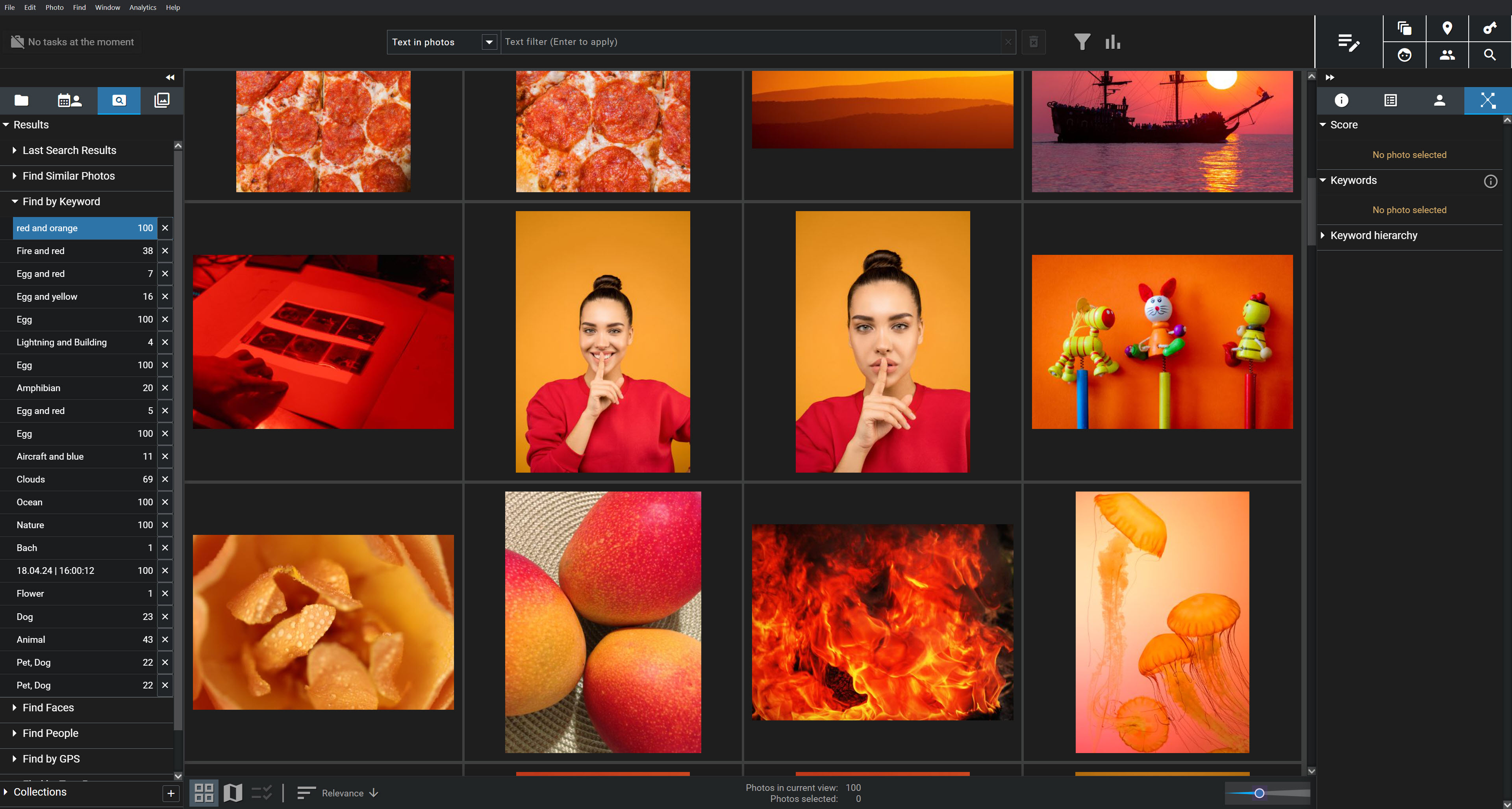
Excire's AI can also recognize colors, allowing you to search for photos featuring a specific color, or even combinations of colors. Here’s what I get when I search for red and orange photos:
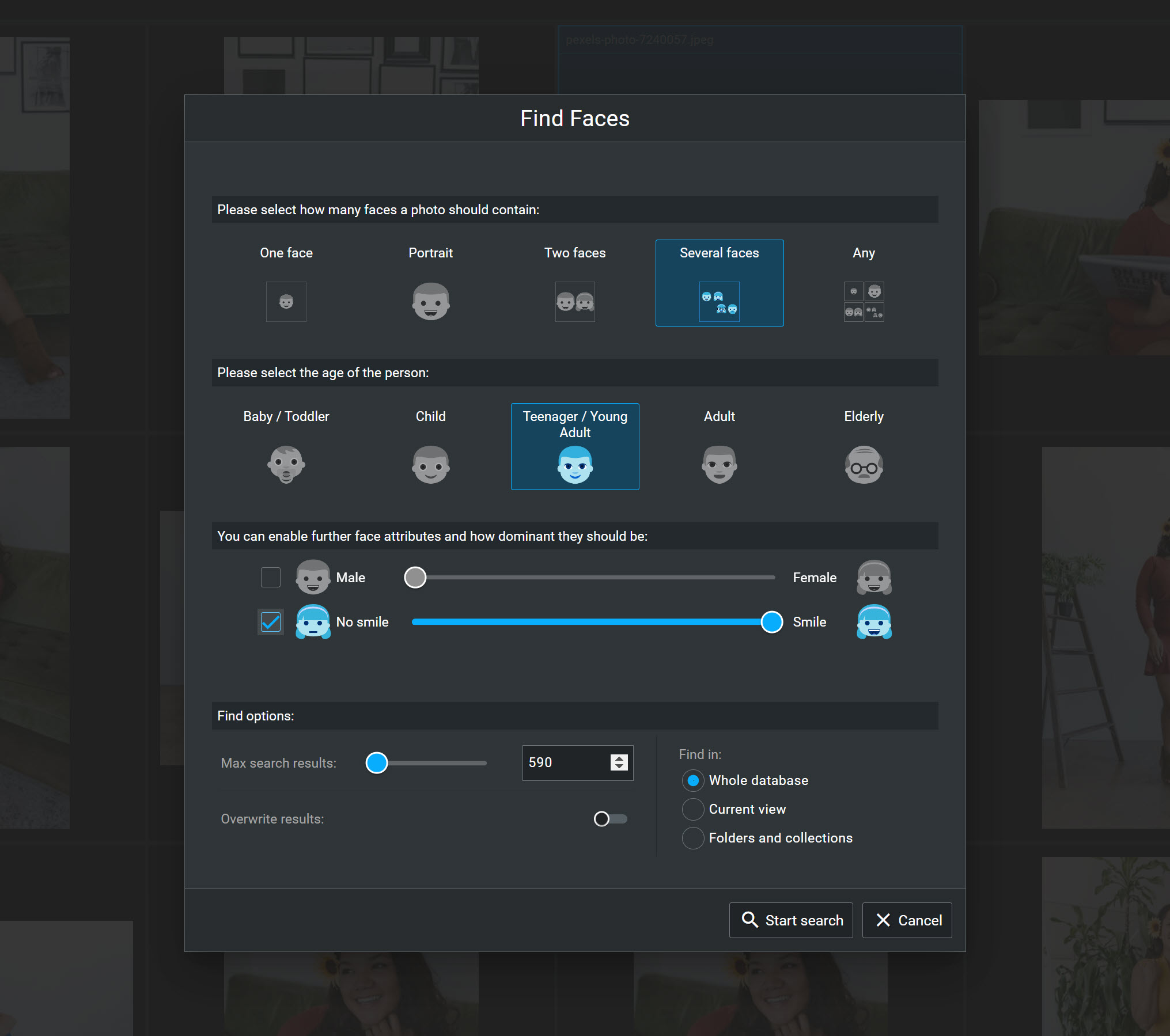
But you’re not limited to searches based on specific faces. Excire can also search based on the number of people in a photo or filter by facial characteristics, such as the subjects’ ages and whether they’re smiling:
AI search capabilities just keep getting better. These days, it's rare that I spend any time at all manually digging through folders or scrolling through thumbnails.
And the real-world value is enormous. Whether you need to find photos for a client, update your website, create social media posts, build a portfolio, or order prints, your images are always just a few keystrokes away.
2. AI-Powered Image Organization
In the previous section, I talked about how AI makes it dramatically easier to find photos in your catalog. And that reduces the pressure to keep your library perfectly organized.
Still, I think we all want our photo libraries to feel organized and uncluttered. Even if you can find any image in seconds, organization still matters.
Unfortunately, keeping a photo library organized takes a lot of time and effort. Manually assigning keywords can quickly become a huge time sink, and if you're not careful when importing, exporting, or backing up your files, you'll often end up with duplicate images that clutter your library and consume valuable storage space.
Fortunately, AI can bring organization to your library without requiring hours of manual work.
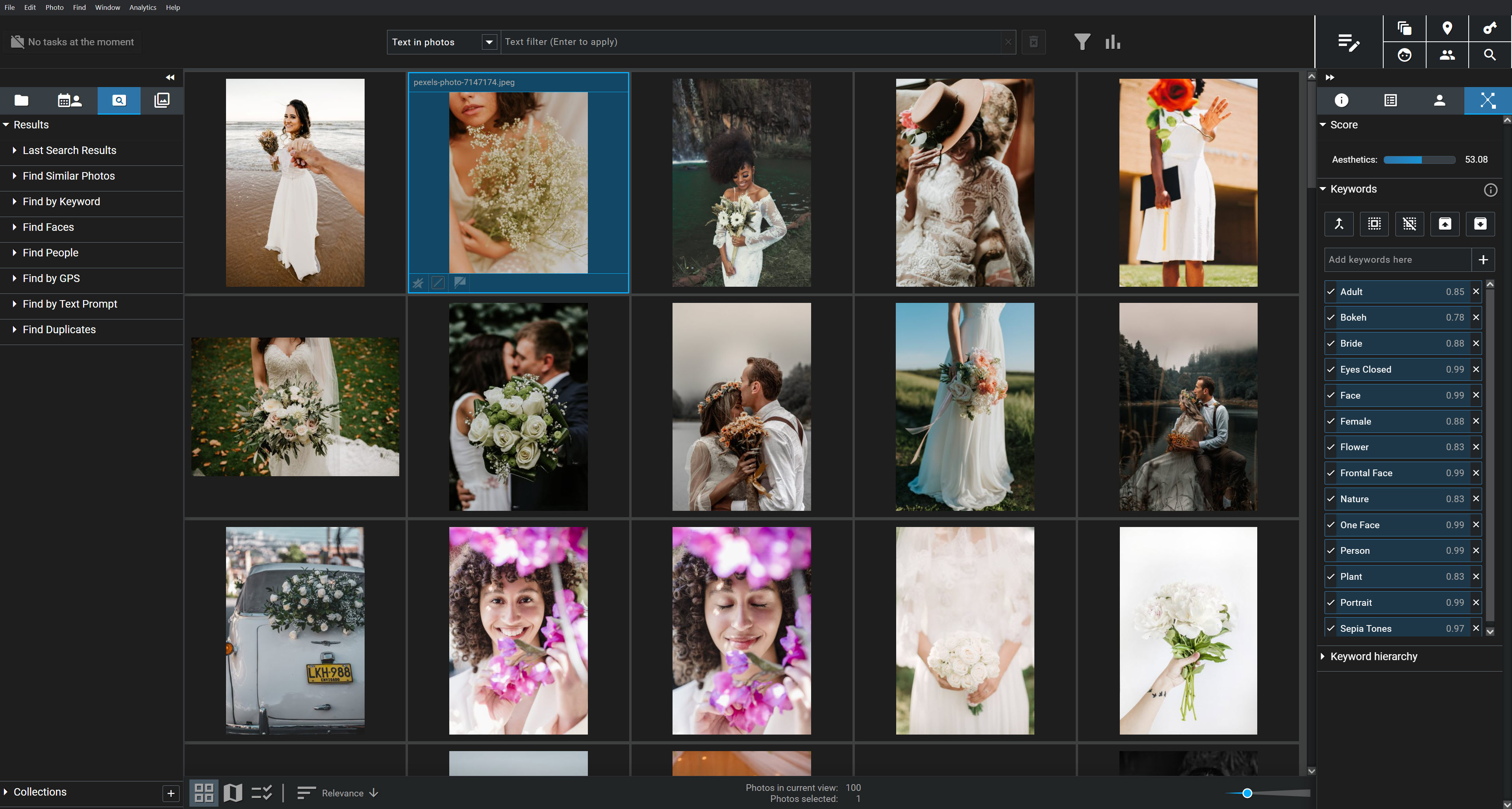
One of my favorite examples is automatic keywording. AI-powered photo managers such as Excire Foto can automatically analyze your images and assign descriptive keywords, saving you from having to keyword thousands of photos by hand.
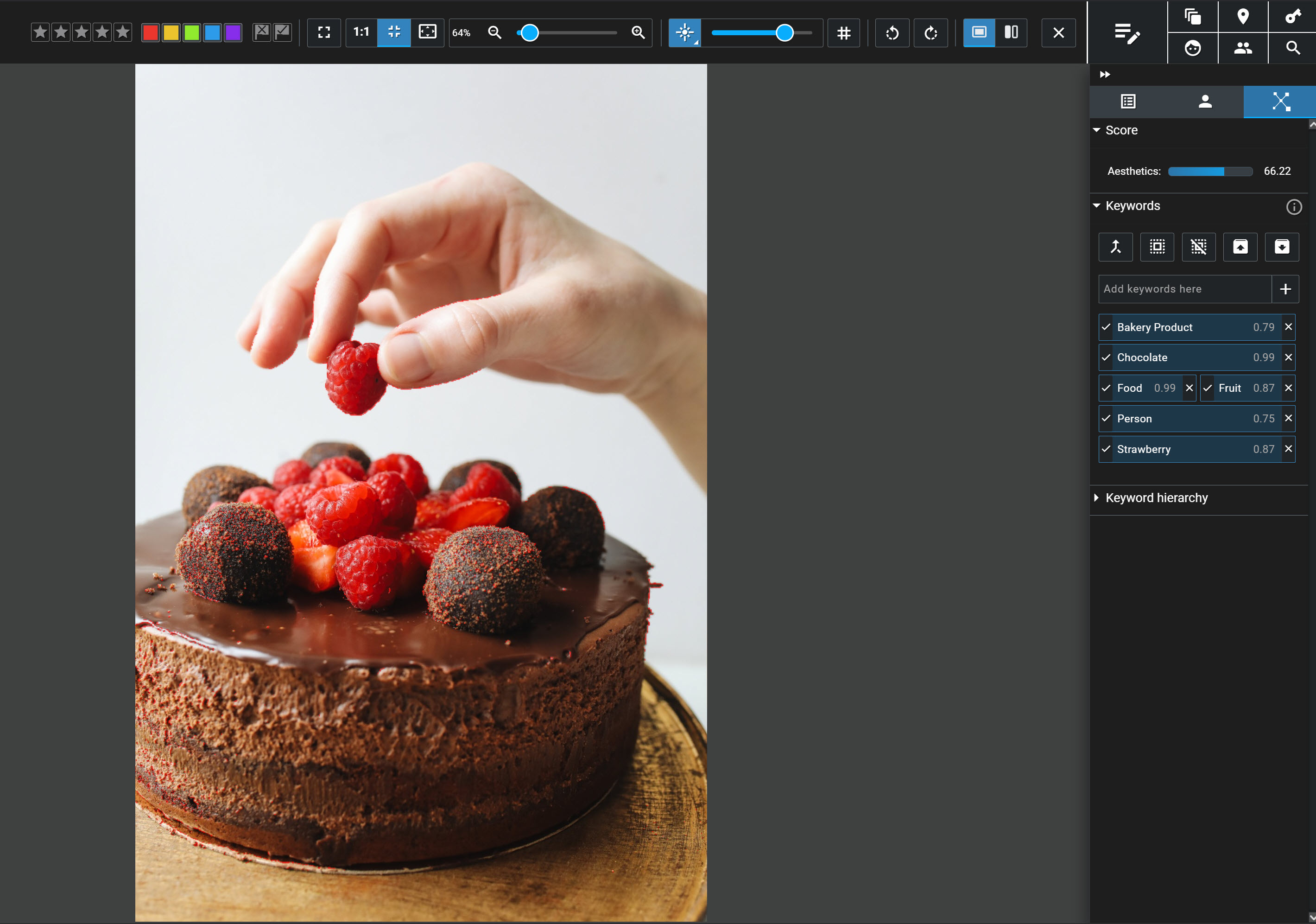
In Excire, those keywords can even be stored as metadata, making them available to other programs in your workflow. And while you may still want to add a few custom keywords yourself, AI takes care of the heavy lifting, giving you a well-organized keyword hierarchy right from the start.
Duplicate search is another feature that has become surprisingly valuable in my workflow. I used to store my photos on small external hard drives, and somewhere along the way, I created a whole lot of unnecessary copies.
(Even if you don't think you have many duplicates, there's a good chance you have more than you realize!)
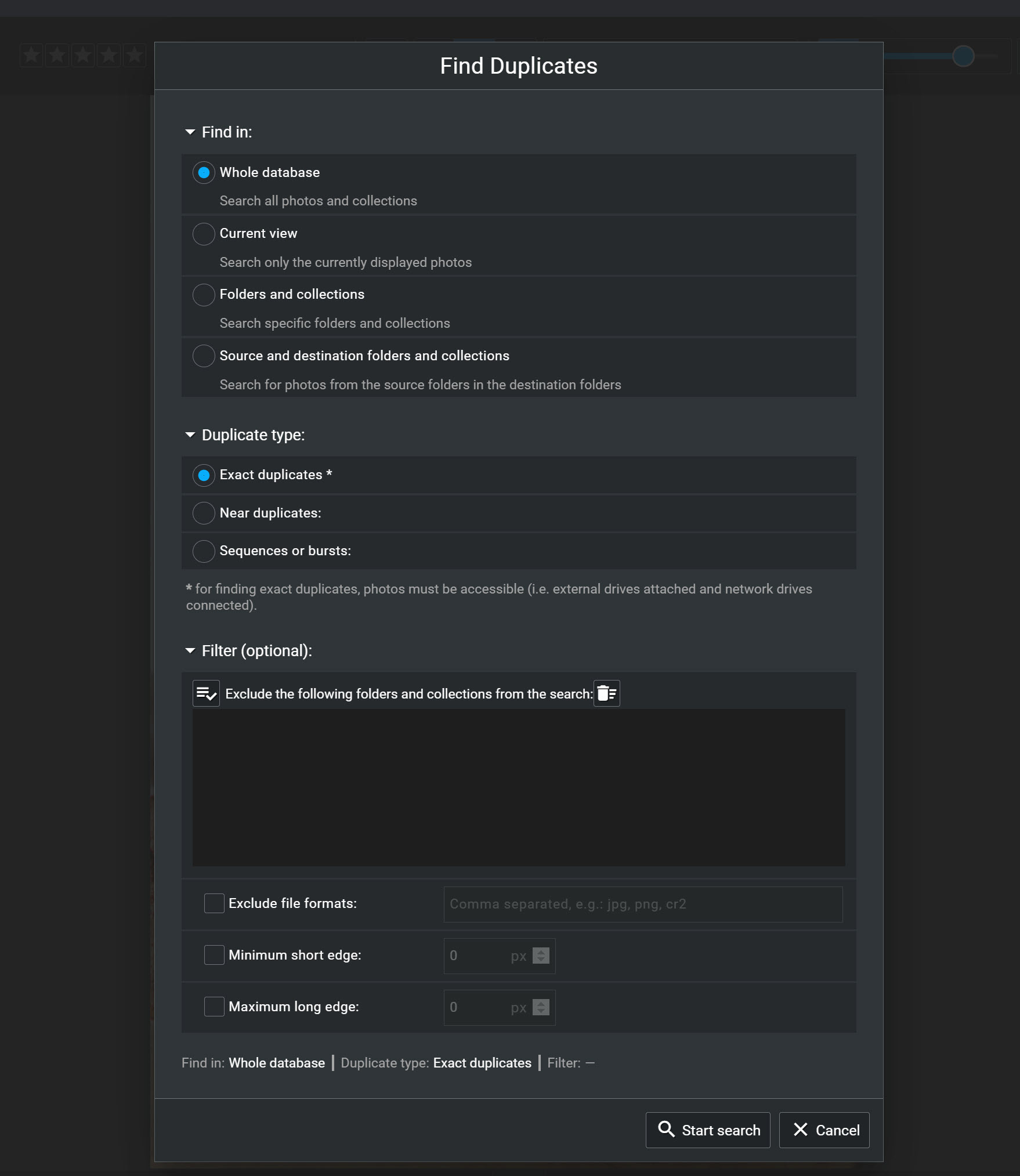
And Excire's duplicate search is highly customizable. It can identify true duplicates, near-duplicates, and even image bursts, and it offers flexible bulk-flagging options so you can quickly decide which files to keep and which to remove from either the Excire database or your computer.
Finally, there's smart filtering, one of the new features in Excire Foto 2027. Smart filters let you narrow your current view based on image content or text detected within your photos. It's a neat way to make working with large image libraries feel much more streamlined; I like using it while browsing for photos that fit a loose theme or style.
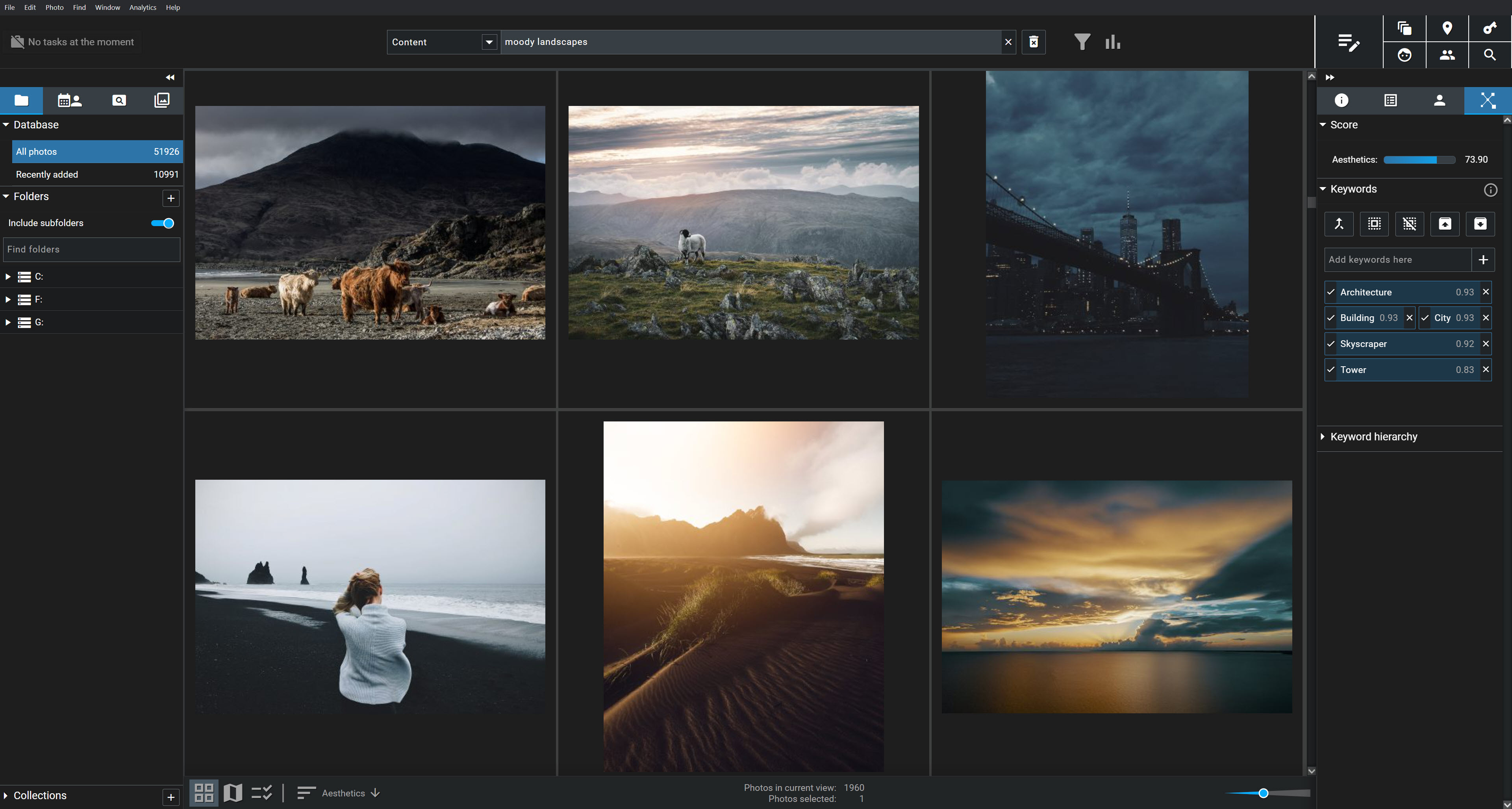
AI image organization isn’t always perfect, but it makes photo libraries so much cleaner and navigable. As a result, exploring your photo library becomes something you want to do, rather than a chore.
3. AI-Assisted Image Selection
Skeptical of AI culling software? I would be, too—but hear me out.
I think we can all agree on the problem: Photographers spend enormous amounts of time evaluating images, comparing similar shots, and trying to choose their best files. If AI could genuinely help with that process, it would be a huge win.
The key word, though, is “genuinely.”
AI culling is widely available these days and is often presented as a magic bullet. But in my experience, it's not that simple. Many AI culling programs are inflexible, giving you very little control over how the software evaluates your images. And as with any type of software, the quality varies dramatically from one program to the next.
So I actually think photographers are asking the wrong question.
The question isn't, "Is AI culling worth it?"
Instead, it’s, "Which AI image-selection tools are actually useful for my workflow?"
In other words: Rather than thinking in terms of one "AI culling" package, it's much more helpful to look at individual AI-assisted tools and decide which ones actually help you evaluate your photos efficiently.
For example, one of my biggest time savers is AI grouping. Instead of forcing me to review 1,000 individual images one by one, software such as Excire Foto 2027 can automatically divide a batch of photos into much smaller, more manageable groups. These groups can be based on visual similarity, image content, the people in the photos, capture date, and more.
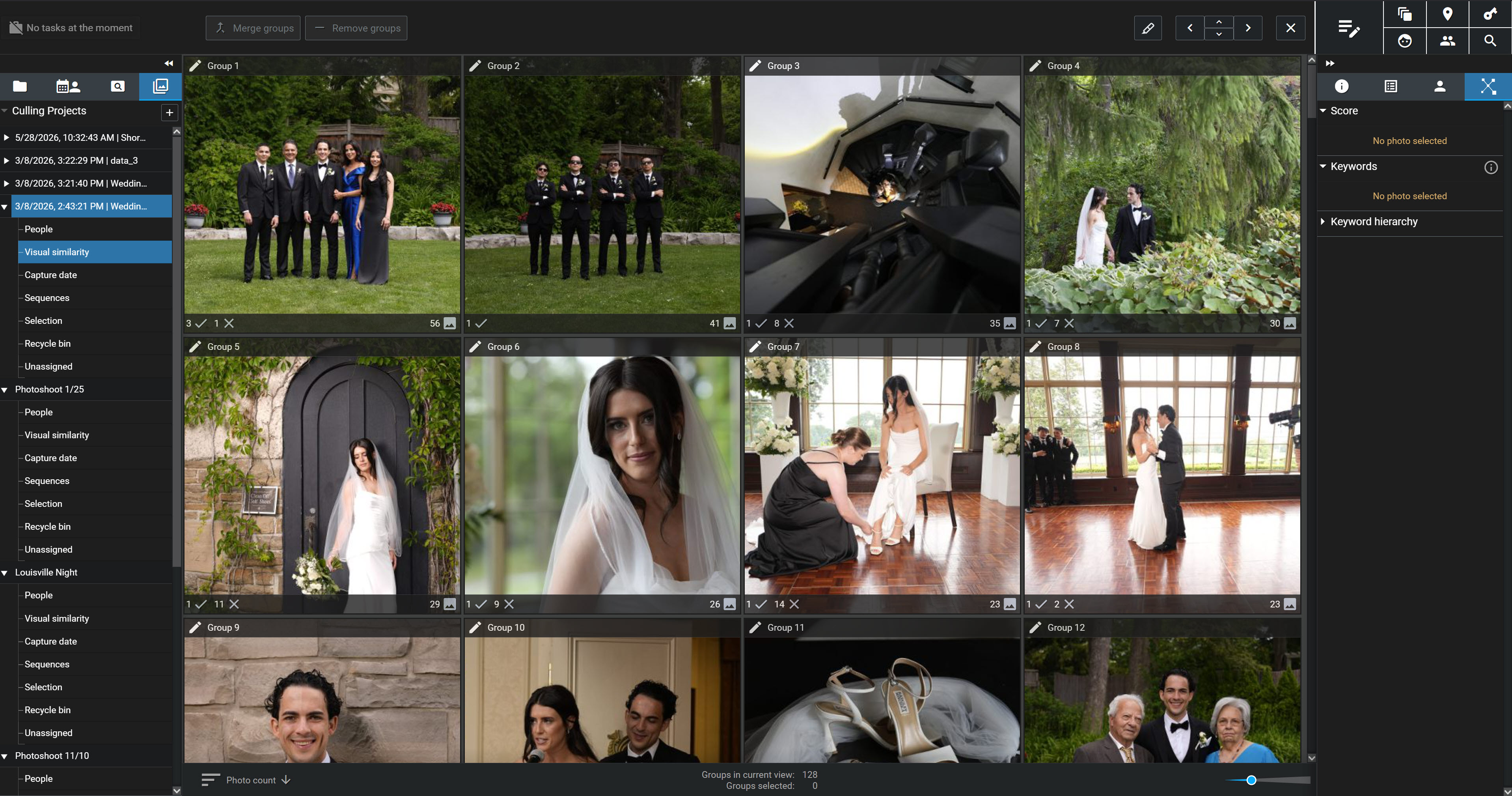
Suddenly, instead of evaluating 1,000 photos, I’m evaluating 100 groups—and trying to select one or two favorites from each. For me, that’s a much less overwhelming process.
AI can also sort images based on characteristics that photographers care about. Excire, for instance, can sort photos by global sharpness, face sharpness, eye sharpness, whether a subject's eyes are open, whether they're smiling, and overall aesthetic quality.
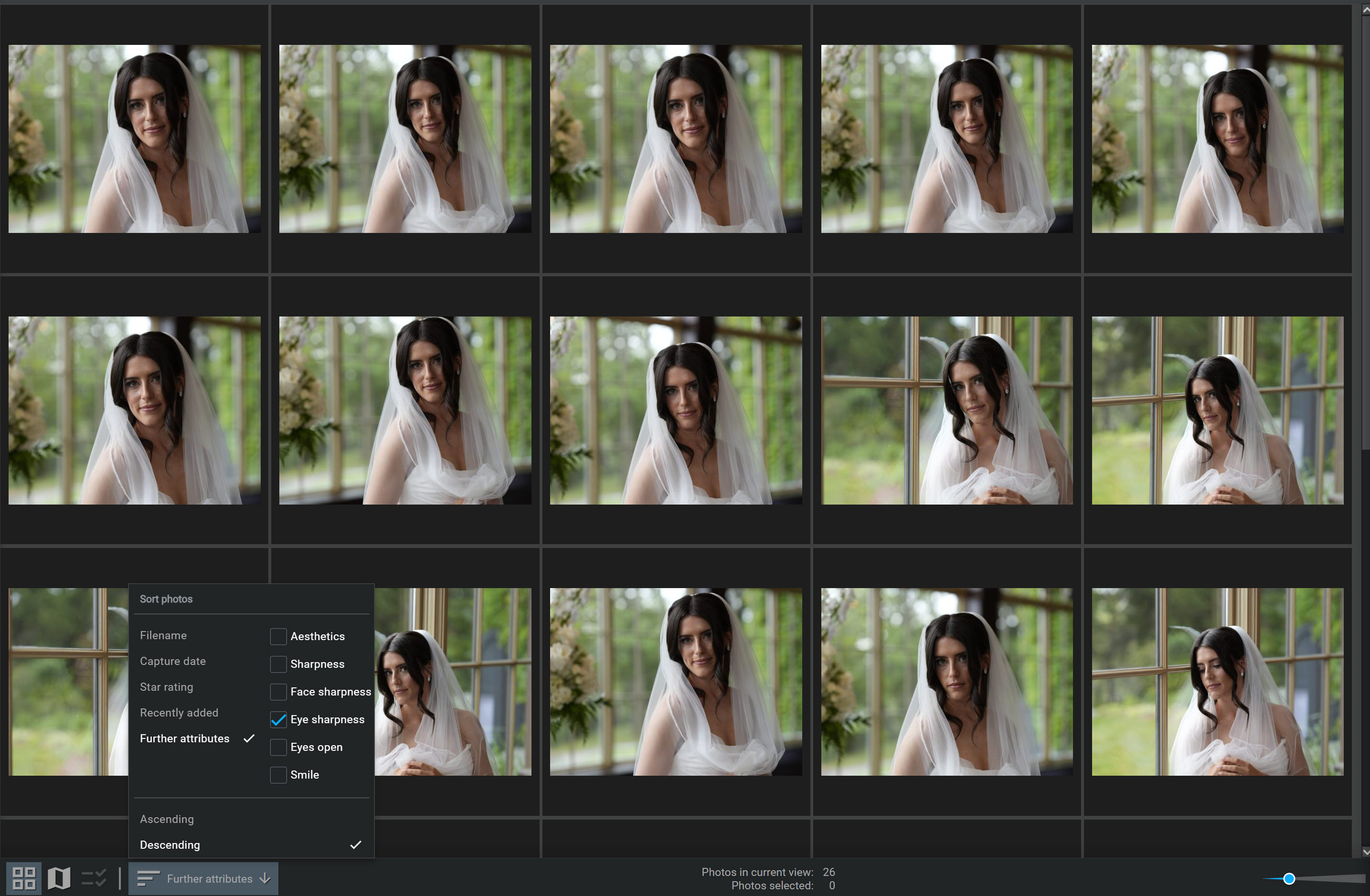
And you don't have to blindly trust the AI's judgment to benefit from these features.
Imagine that your images from a recent wedding shoot have already been grouped by similarity and sorted by eye sharpness. Instead of carefully inspecting every single frame, you can start by reviewing the first few images in each group. If you find one or two great shots, you can quickly flag them, then move on to the next group. The AI doesn’t make creative decisions for you…but it does bring the strongest candidates to the top so you can choose the ones you like best.
Excire can also automatically accept and reject photos if you want it to, but this isn’t a requirement. And you can even use these “Smart selection” features as part of a modular, flexible workflow.
For example, you can start by telling the software to automatically reject obviously blurry images, poorly exposed files, and/or photos where your subjects have their eyes closed. You can also tell Excire to group and sort using your preferred settings. From there, you can manually review each group—but if it’s taking longer than you like, you can always have the AI go further and intelligently apply flags based on your selected criteria.
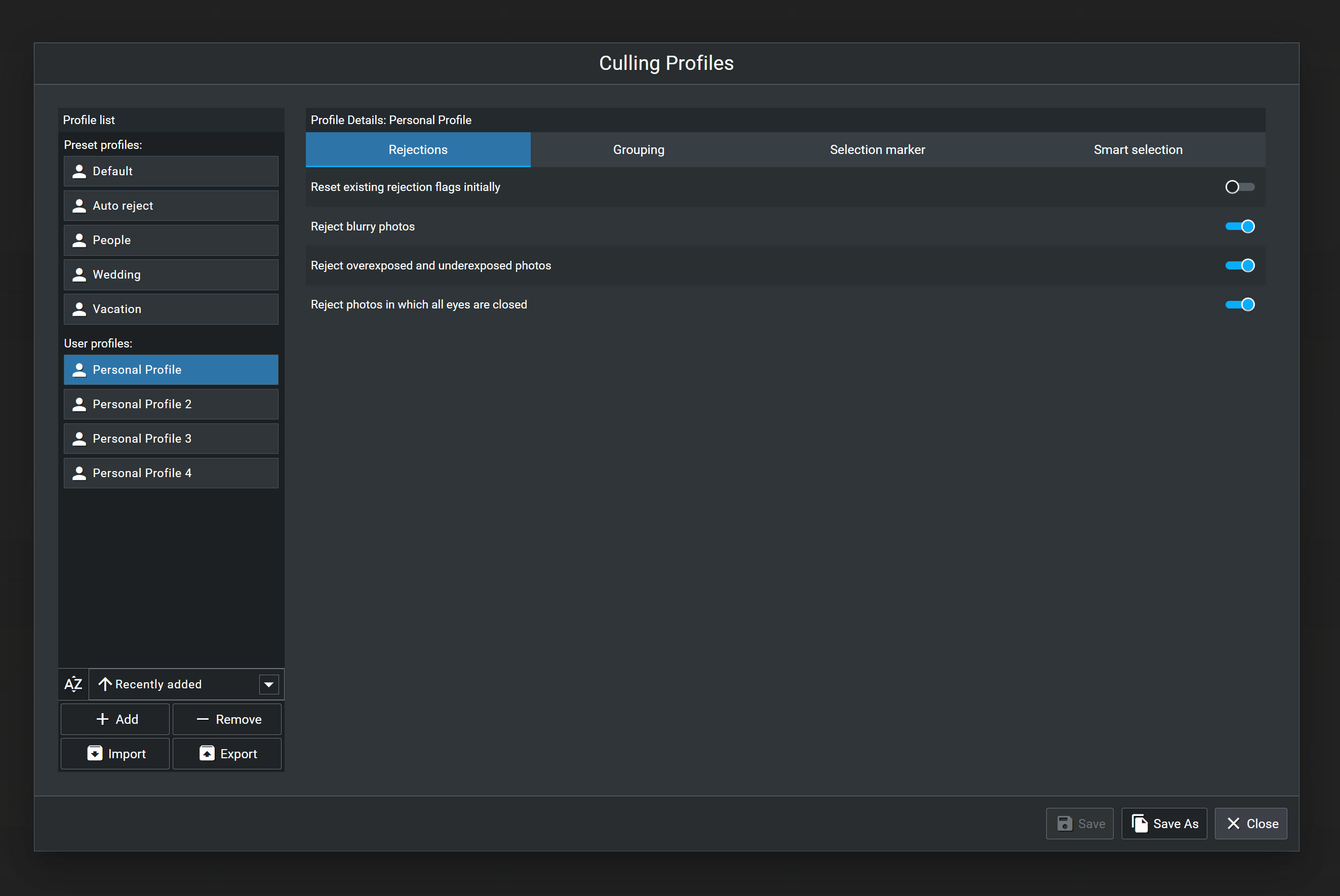
AI can also help when evaluating individual images. The focus peaking tool in Excire Foto 2027 allows you to check sharpness at a glance, while automatic face detection can magnify faces for closer inspection. Excire can even apply color overlays to indicate face sharpness, making it easy to see which faces are tack-sharp and which are noticeably soft.
And by the way, Excire’s focus peaking doesn’t just apply to photos of people. You can use it on all kinds of images, including shots of pets, wildlife, and birds.
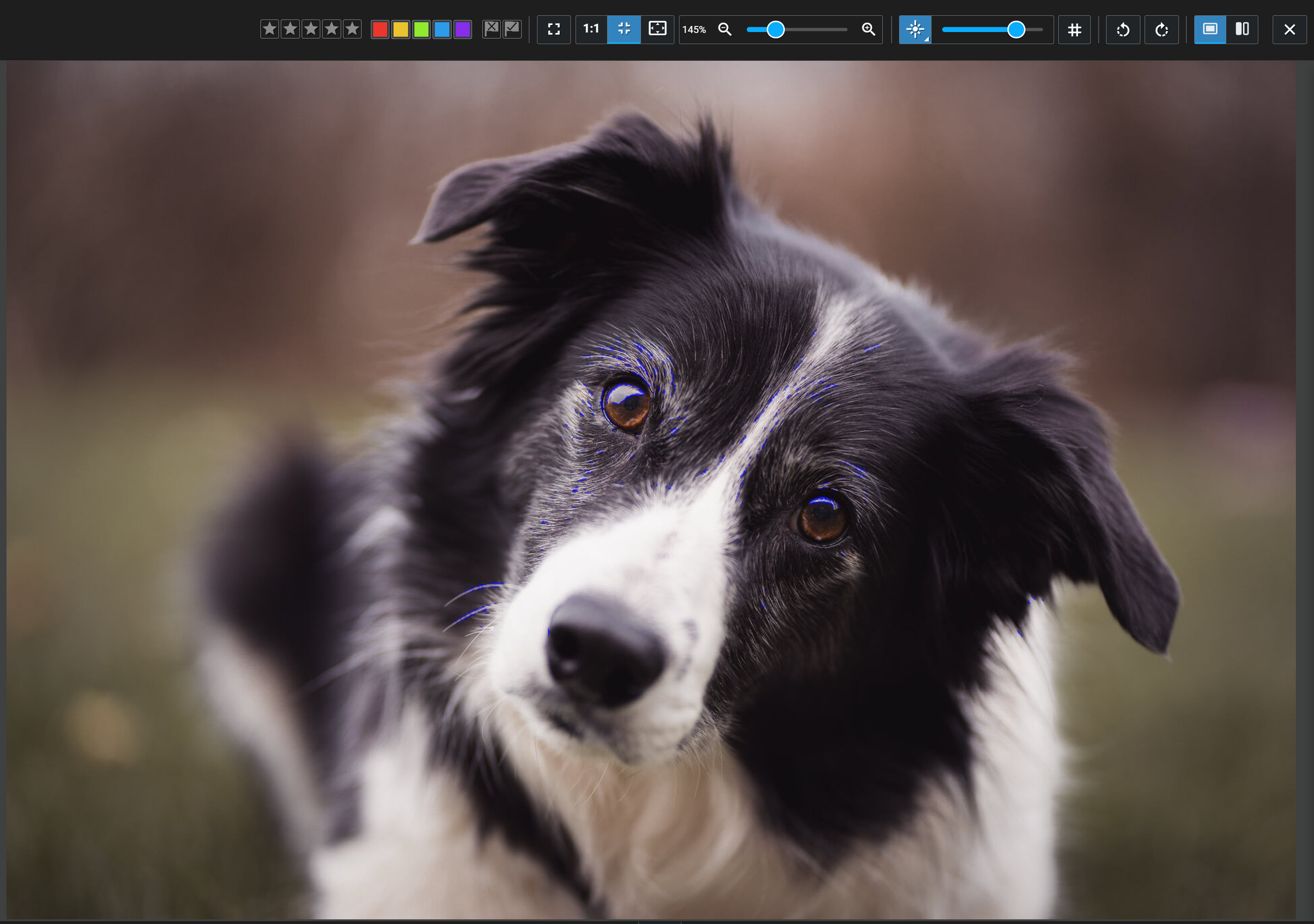
At the end of the day, some AI image evaluation tools are incredibly useful. AI similarity grouping can make large shoots dramatically easier to review. Sorting by sharpness can save a huge amount of time. Focus peaking and face-sharpness indicators can eliminate unnecessary zooming and second-guessing.
Others may not suit your workflow, and that's perfectly fine.
Final Thoughts
Many photographers see AI as a threat, and that's understandable. But we don't have to throw the baby out with the bathwater.
As I said at the beginning of this article: Not all AI is the same.
AI-powered photo management doesn’t harm photographers, but it sure can make your life easier. Tools such as Excire Foto 2027 take care of repetitive tasks so you can spend more time doing what you actually enjoy: making new photos, working with clients, and appreciating the images you've already created.
I use these AI capabilities every day, and it's hard to imagine going back to my old workflow. What once took minutes or hours can now often be accomplished in just a few seconds.
If you're curious to see how these features work in practice, I'd encourage you to download an Excire Foto 2027 free trial. It includes all of the AI-powered capabilities discussed in this article (and quite a few more!). It's the most comprehensive photo-management program I've used, and it’s saved me plenty of headaches over the years.
(If you're a dedicated Lightroom Classic user, you can also check out Excire Search 2026, a plugin that brings many of the same AI-powered features directly into Lightroom.)
Whether you decide to try Excire or another AI-powered photo manager, my advice is the same: don't dismiss AI altogether. Instead, focus on the AI capabilities that solve real problems in your workflow. You might be surprised by how much of a difference they can make!